
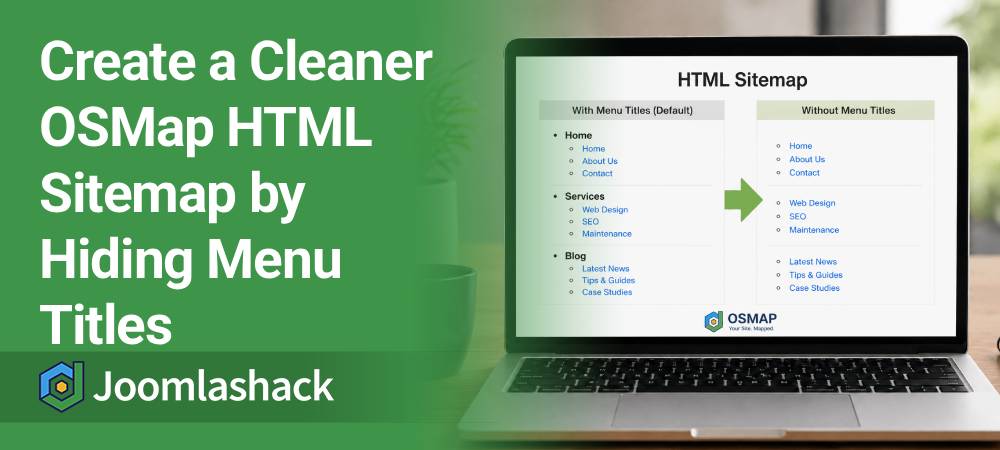
One of our customers asked how to hide the menu titles from their OSMap HTML sitemap.
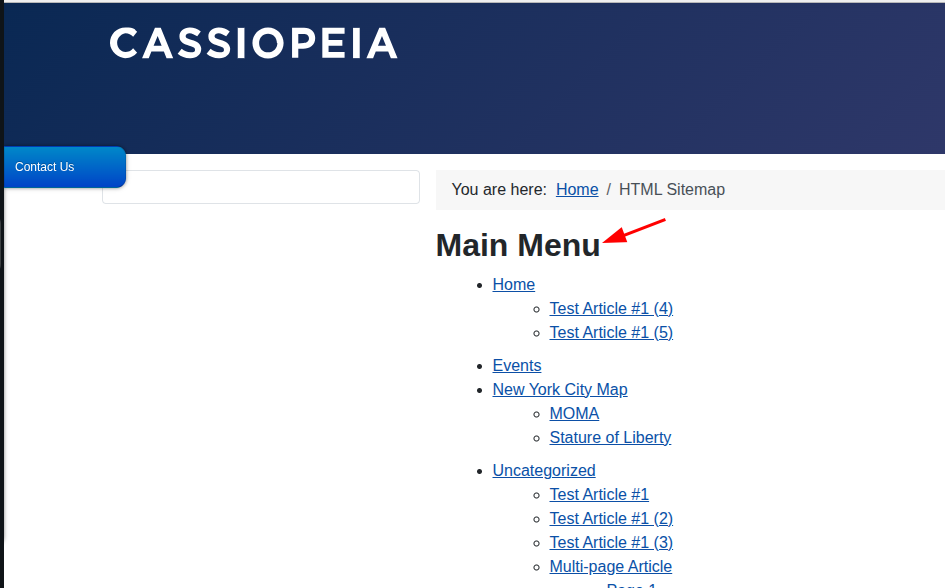
By default, the HTML sitemap groups links under the title of each Joomla menu. Some site owners like this because it organizes the links. Others prefer a cleaner sitemap without the menu headings.
Fortunately, OSMap makes this easy. You can hide the menu titles while keeping every sitemap link visible.
In this tutorial, we'll show you how to do it in just a few minutes.
By default, the OSMap HTML sitemap groups links under the title of each Joomla menu:
If you hide the menu titles, the sitemap has a cleaner appearance while still displaying every link:
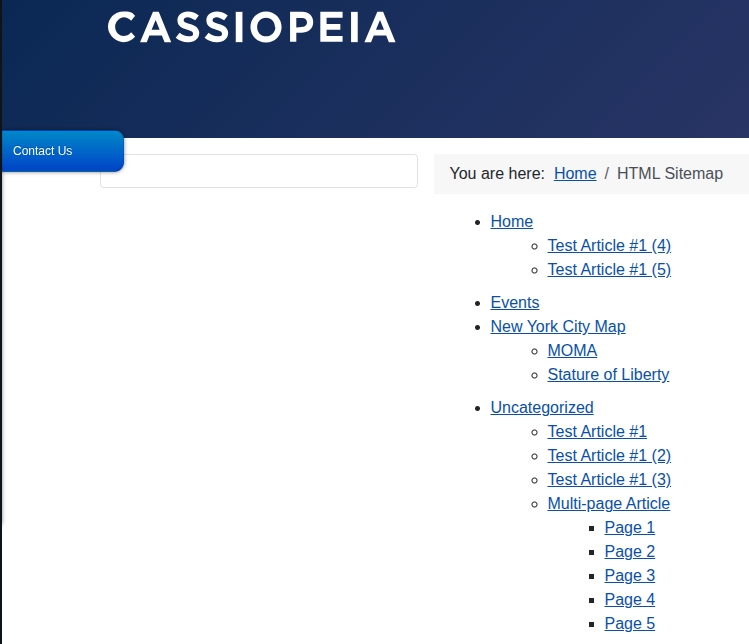
The Show Menu Titles option hides only the menu headings. It does not remove any links or pages from the sitemap.
It also affects only the HTML sitemap. Your XML sitemap is not affected.
We'll do this in three simple steps:
- Create an HTML sitemap menu item.
- Hide the menu titles.
- Check the result.
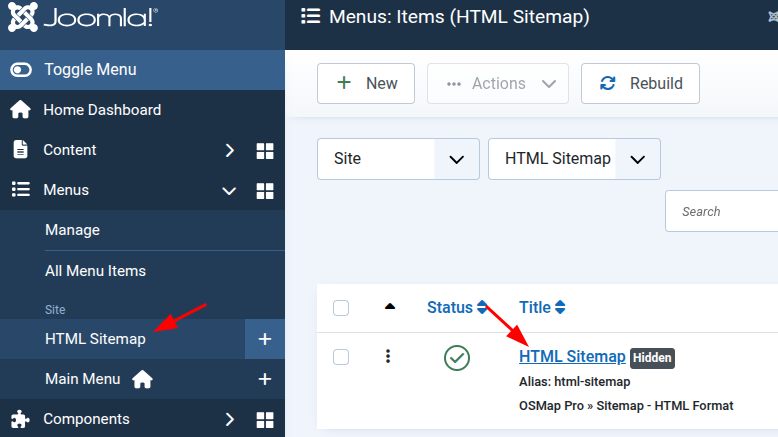
Step 1. Create an HTML Sitemap Menu Item
The Show Menu Titles setting is configured in the HTML sitemap menu item.
If you already have an HTML sitemap menu item, simply open it for editing.
If you don't have one yet, follow these steps:
- Go to Menus.
- Open the menu where you want to add the sitemap.
- Click New.
- Click Select next to Menu Item Type.
- Select OSMap.
- Select Sitemap - HTML Format.
- Click Select next to Sitemap *.
- Select your sitemap.
- Click Save.
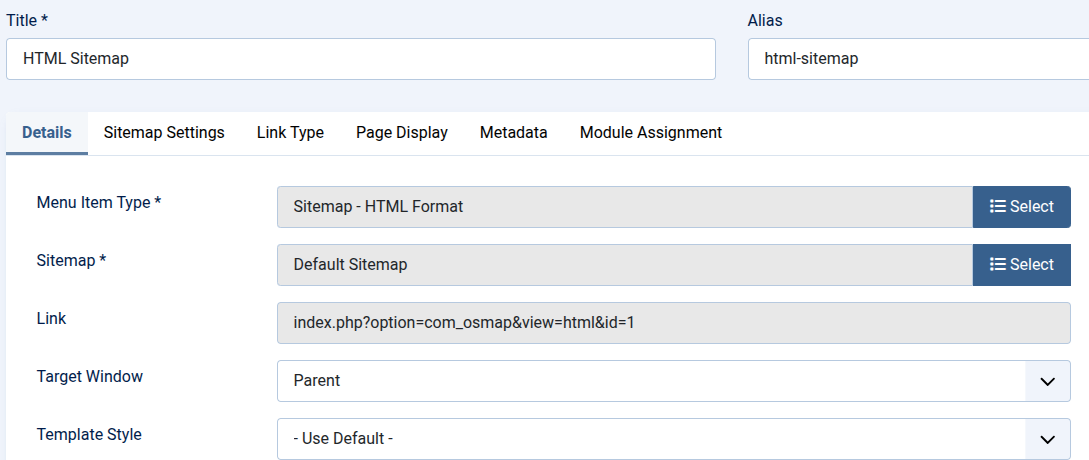
If you don't want the sitemap to appear in your site's navigation, place the menu item in a separate hidden menu.
Step 2. Hide the Menu Titles
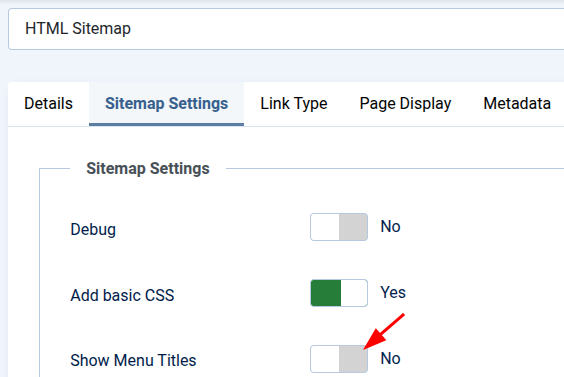
Now it's time to hide the menu headings.
- Open your HTML sitemap menu item.
- Find the Show Menu Titles option.
- Set it to No.
- Click Save & Close.
Step 3. Check the Result
Open the HTML sitemap on the front end of your site.
The menu headings should no longer appear.
All sitemap links will still be displayed.
That's all there is to it. Your visitors will enjoy a cleaner HTML sitemap, while every page remains available to them and to search engines.
What's Next?
Save $1,000's when you sign up for Joomlashack's Everything Club.
You will get your hands on our extensive range of over 20 extensions, plus legendary support!