
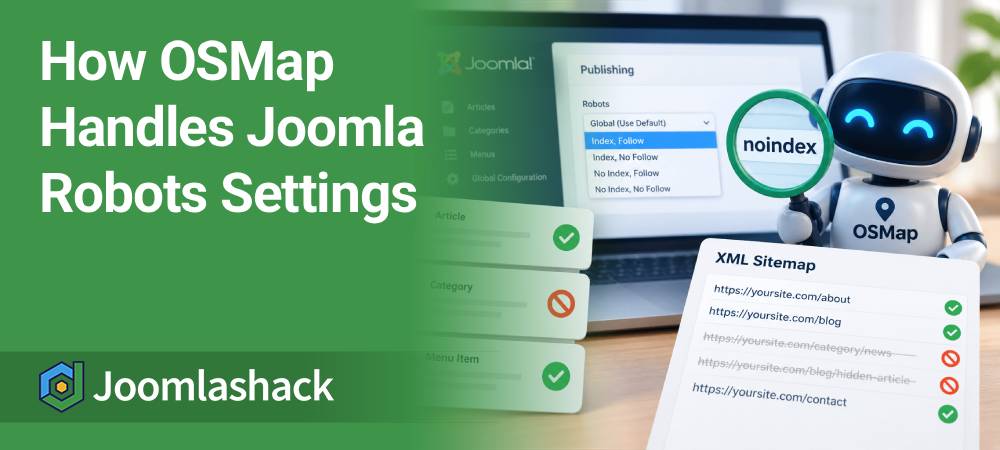
Joomla gives you several Robots settings. You can use these settings to tell search engines what they should do with a page.
OSMap also uses these settings. They help OSMap decide whether to include a URL in your XML sitemap.
In this guide, you will learn what Index, No Index, Follow, and No Follow mean.
You will also see how OSMap handles these settings for menu items, categories, and articles.
What Do the Joomla Robots Settings Mean?
Joomla gives you four common Robots combinations:
- Index, Follow: Search engines can index your page and follow links on it.
- Index, No Follow: Search engines can index your page, but should not follow links on it.
- No Index, Follow: Search engines should not index your page, but can follow links on it.
- No Index, No Follow: Search engines should not index your page or follow links on it.
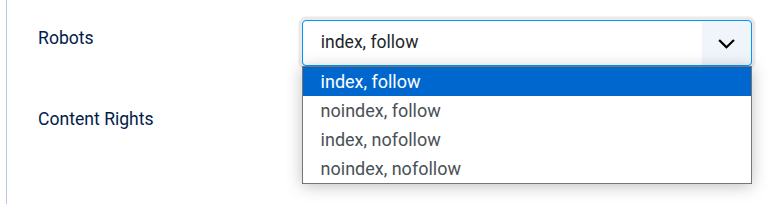
For your OSMap XML sitemap, the most important words are Index and No Index.
If you choose No Index, OSMap excludes that URL from the XML sitemap.
If you choose Index, the Robots setting does not prevent the URL from appearing in the XML sitemap.
Follow and No Follow do not control whether OSMap includes the URL.
Here is an easy way to remember this:
- Index, Follow → the URL can appear in your XML sitemap.
- Index, No Follow → the URL can appear in your XML sitemap.
- No Index, Follow → OSMap excludes the URL.
- No Index, No Follow → OSMap excludes the URL.
How OSMap Handles Menu Item Robots Settings
You can set a Robots value for an individual Joomla menu item.
Go to Menus > Your Menu.
Open the menu item you want to change.
Click the Metadata tab.
You will see the Robots setting.
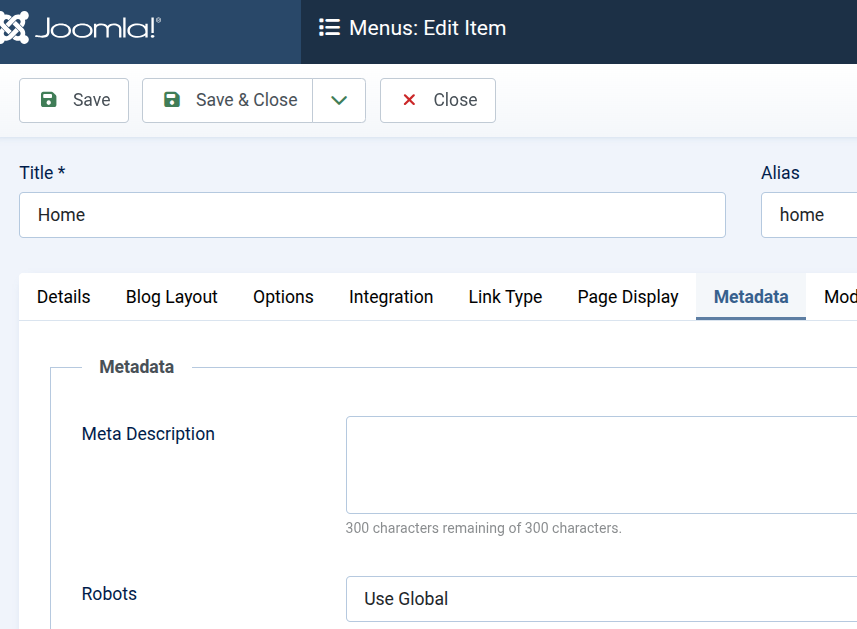
If you set the menu item to No Index, OSMap can exclude its URL from your XML sitemap.
If you do not choose a specific Robots value, Joomla can use its global setting instead.
How OSMap Handles Category Robots Settings
You can also set a Robots value for a Joomla category.
Go to Content > Categories.
Open the category you want to change.
Click the Publishing tab.
Here you can choose the category's Robots setting.
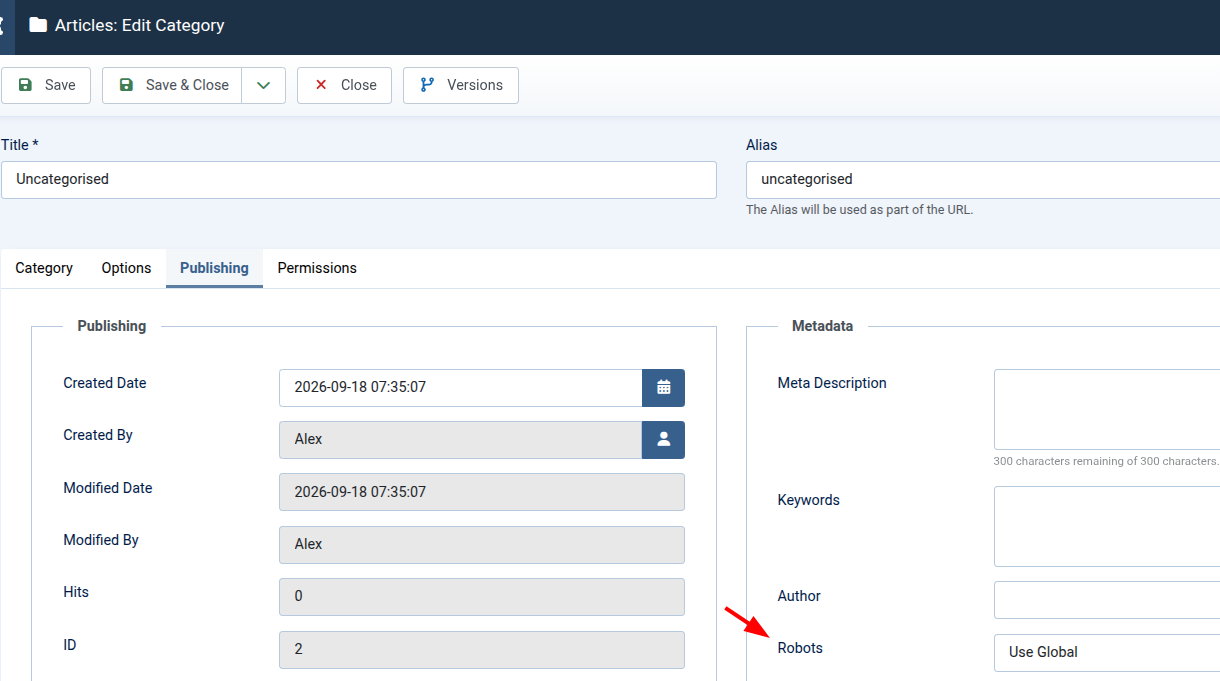
If you set your category to No Index, OSMap excludes the category URL from the XML sitemap.
This also affects the article URLs that OSMap generates underneath that category.
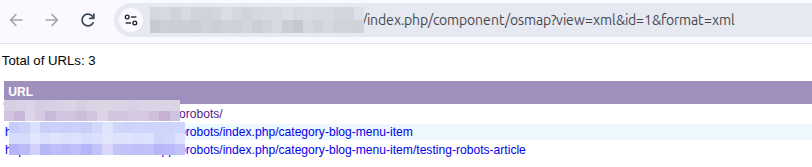
For example, you may have a Category Blog menu item.
If its category is set to No Index, Follow, OSMap excludes the category URL and its child article URLs from the XML sitemap.
How OSMap Handles Article Robots Settings
You can set a Robots value for an individual Joomla article.
Go to Content > Articles.
Open the article you want to change.
Click the Publishing tab.
You will see the Robots setting.
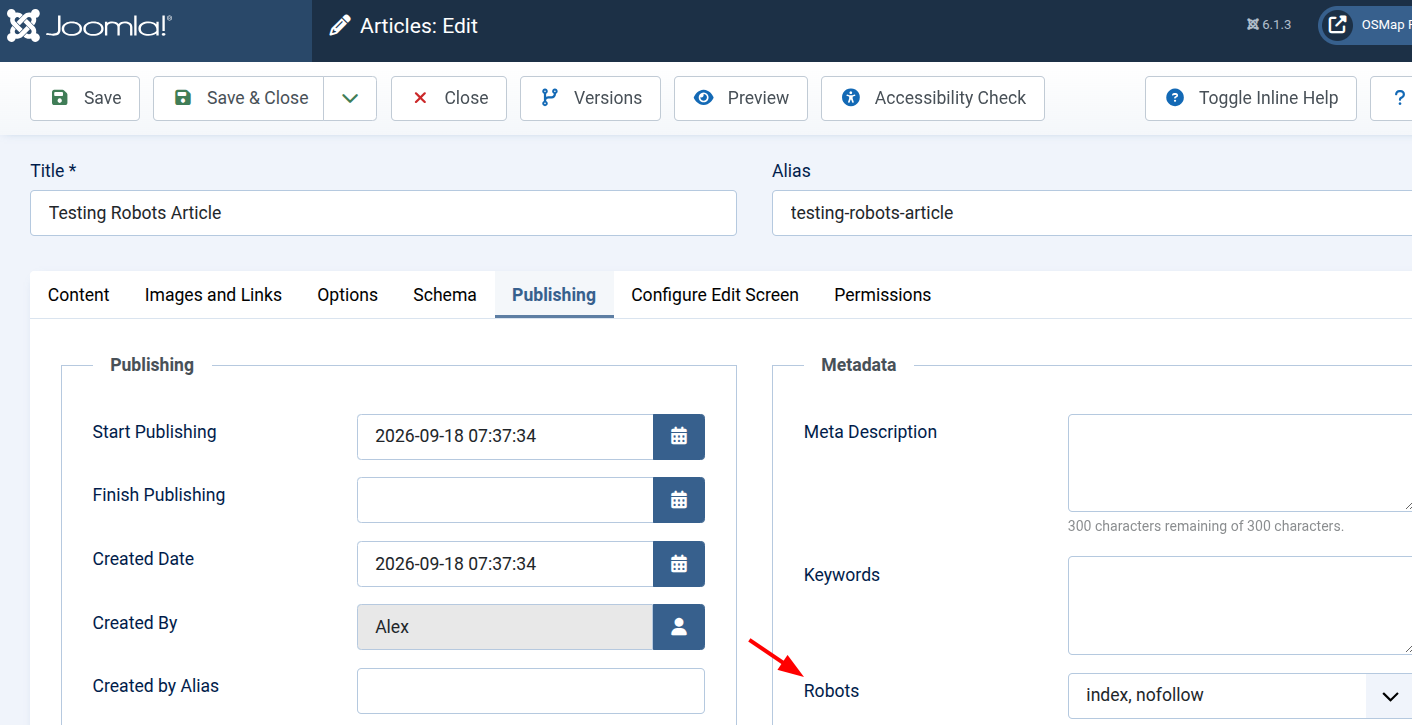
If you choose No Index, Follow, OSMap excludes the article URL from your XML sitemap.
The same happens if you choose No Index, No Follow.
If you choose Index, Follow or Index, No Follow, the Robots setting does not prevent the article from appearing.
This is because OSMap is looking for No Index.
What Happens When You Use the Global Setting?
You do not have to choose a separate Robots value for every page.
Joomla also has a global Robots setting.
Go to System > Global Configuration.
Click the Site tab.
Find the Metadata group of settings.
Here you will see the global Robots setting.
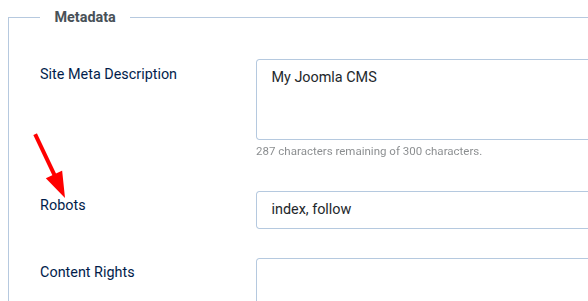
This gives Joomla a default Robots value.
OSMap can use this value when there is no more specific Robots setting for the content.
For example, if the effective Robots value is No Index, OSMap excludes the URL from the XML sitemap.
Check Your XML Sitemap
After you change a Robots setting, you can check the result in your OSMap XML sitemap.
Look for the URL that you changed.
If its effective setting contains No Index, you should not see that URL in the XML sitemap.
XML and HTML Sitemaps Work Differently
The Robots rules in this guide apply to your XML sitemap.
Your OSMap HTML sitemap works differently.
It does not use these Robots checks to decide whether a URL should be displayed.
This means you may still see a URL in your HTML sitemap even after No Index removes it from your XML sitemap.
Summary
You only need to remember three simple rules:
- If you use No Index, OSMap excludes the URL from your XML sitemap.
- If you use Index, the Robots setting does not prevent the URL from appearing.
- Follow and No Follow do not decide whether the URL appears in your XML sitemap.
You can set Robots values for Joomla menu items, categories, and individual articles.
You can also use Joomla's global Robots setting as the default.
This gives you control over which Joomla pages search engines can find in your OSMap XML sitemap.
What's Next?
Save $1,000's when you sign up for Joomlashack's Everything Club.
You will get your hands on our extensive range of over 20 extensions, plus legendary support!