
It's possible to customize the Joomla dashboard panel for your users.
In particular, it can be useful to customize the dashboard panel area that users see when they first log in.
Here's how to modify the Joomla dashboard admin area to show the information that you or your client requires:
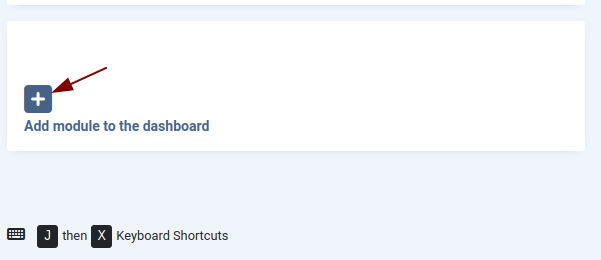
- At the bottom of the Joomla dashboard, click "Add module to the dashboard":
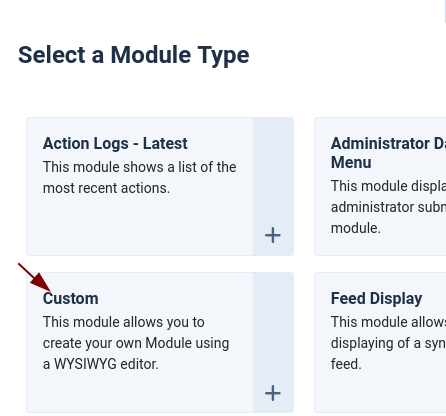
- On the "Select a Module Type" mini-window, choose the module you want to add for your users. I'm going to choose Custom:
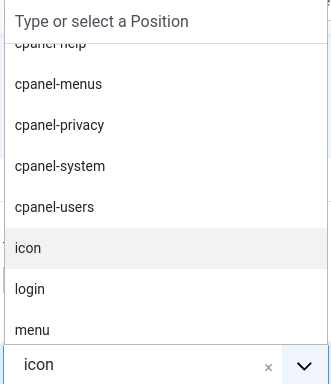
- Create your module's title, if appropriate, content, and set its Position. In this example, I'm going to choose "icon", as shown in the next image.
- If you want the module to appear high up on the screen, set a number such as "1" or "2" for "Order". This post has more on reordering items in Joomla:
- Save the module.
- Your new module will appear on the Joomla "Home Dashboard" screen:

What's Next?
Save $1,000's when you sign up for Joomlashack's Everything Club.
You will get your hands on our extensive range of over 20 extensions, plus legendary support!