Documentation for Joomla 6
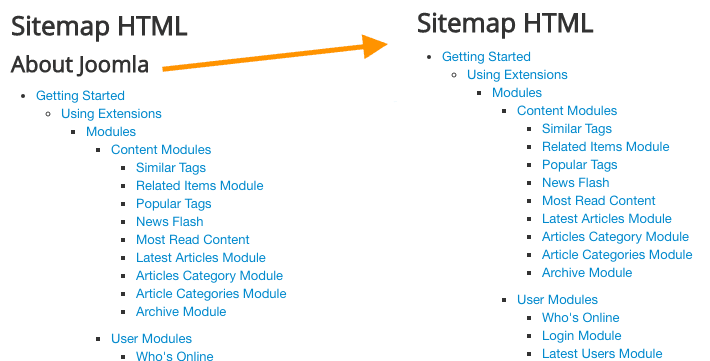
By default, the OSMap HTML sitemap groups links under the title of each Joomla menu:
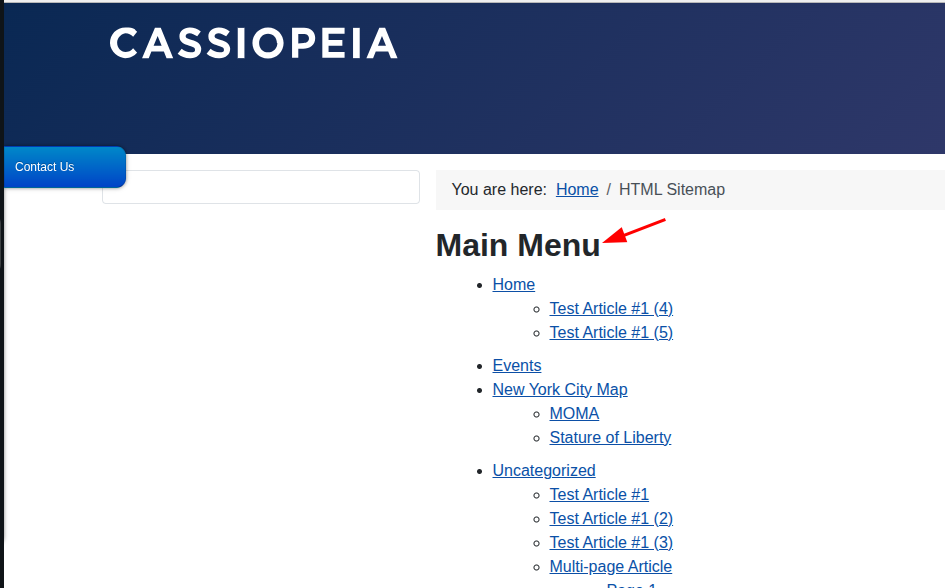
You can hide these menu titles for a cleaner sitemap:
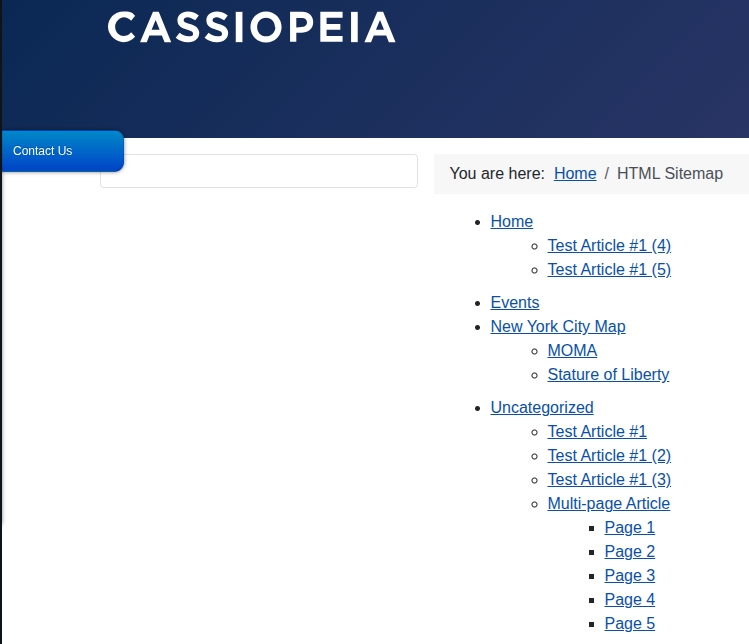
This setting hides only the menu headings. It does not remove any links or pages from the sitemap.
It also affects only the HTML sitemap. It does not affect your XML sitemap.
You can set it in three steps:
- Create an HTML Sitemap Menu Item
- Hide the Menu Titles
- Check the Result
Step 1. Create an HTML Sitemap Menu Item
The Show Menu Titles setting is available in the HTML sitemap menu item.
If you already have an HTML sitemap menu item, you can open and edit it.
If you do not have one, follow these steps:
- Go to Menus.
- Open the menu where you want to add the sitemap.
- In the top left corner, click New.
- Click Select next to Menu Item Type.
- Select OSMap.
- Select the Sitemap - HTML Format menu item type.
- Click Select next to Sitemap *.
- Select your sitemap.
- Click Save:
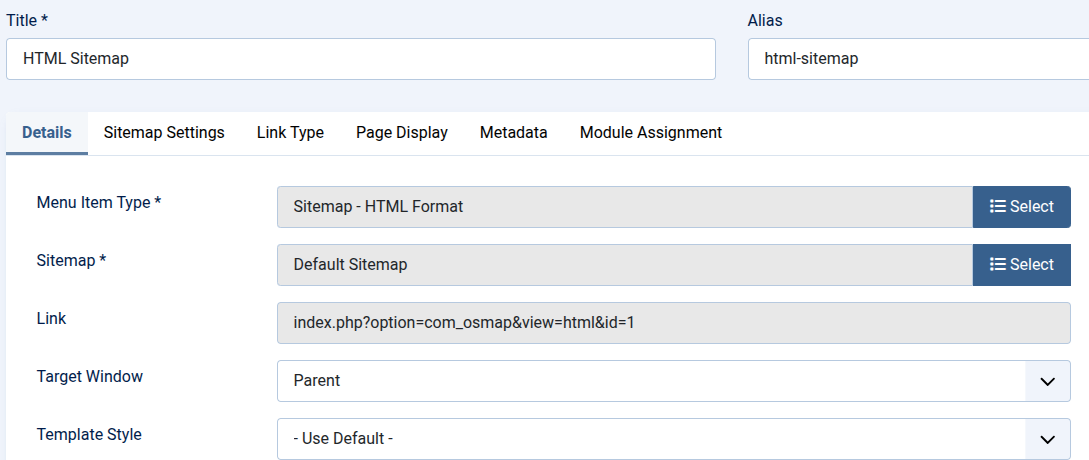
You can place the menu item in a new menu if you do not want it to appear in your site's navigation:
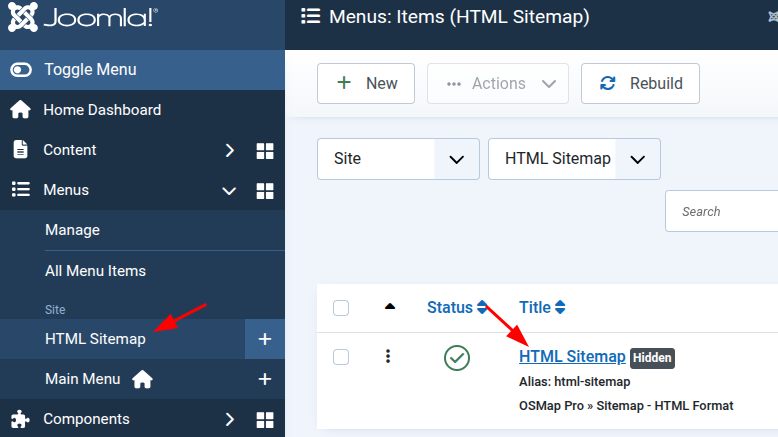
Step 2. Hide the Menu Titles
- Open your HTML sitemap menu item.
- Find the Show Menu Titles option.
- Set it to No.
- Click Save & Close.
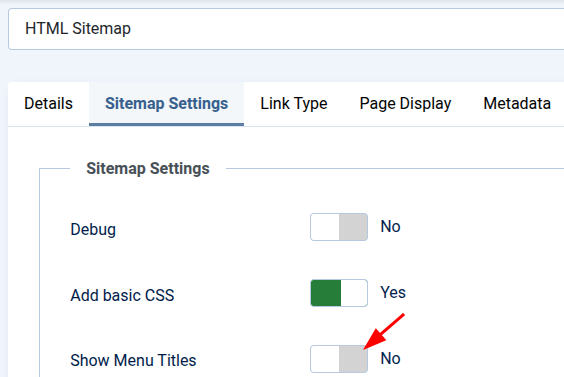
Step 3. Check the Result
Open the HTML sitemap on the front of your site.
The menu headings should no longer appear.
All sitemap links should still be visible.
Documentation for Joomla 3
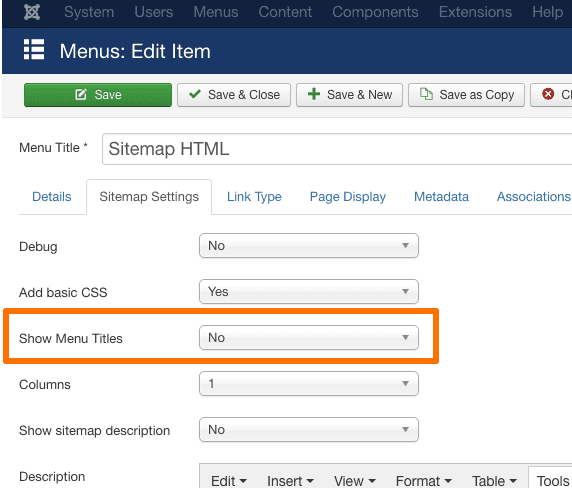
The HTML sitemap shows all menu titles by default. You can easily hide them by configuring the sitemap menu item.
How to
- This option was moved to the HTML menu item. If you still don't have a menu item for your sitemap, create one. It can be hidden.

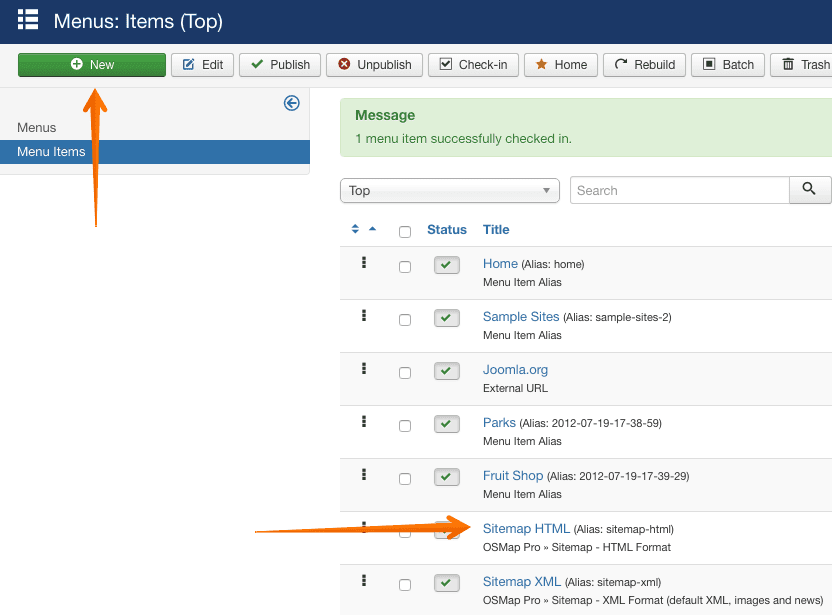
- Open the menu item and change the "Show Menu Titles" option to "No".