
Documentation for Joomla 6
OSMap Pro integrates with Shack Locations so that eligible locations from your maps can be added to your HTML and XML sitemaps.
This can help search engines discover the individual location pages on your Joomla site.
Before You Start
Make sure that you have created a published Joomla menu item that displays your Shack Locations map.

The menu containing this map item must also be included in your OSMap sitemap. OSMap uses the map menu item as the starting point for finding its locations.
Enable the Shack Locations Plugin
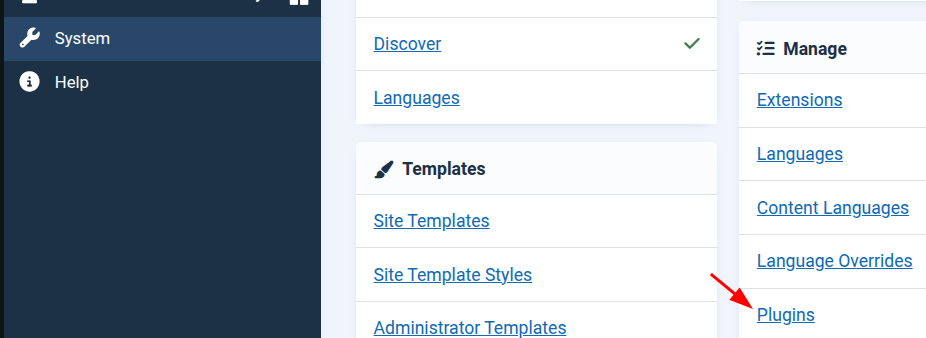
- In your Joomla administrator panel, go to System > Manage > Plugins:
- Use the Search box to search for OSMap - Shack Locations:
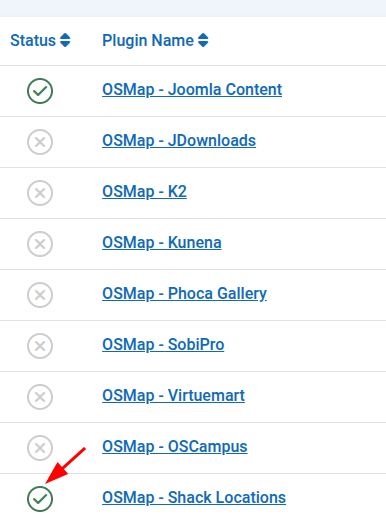
- Find the OSMap - Shack Locations plugin.
- If the plugin is disabled, click its status icon to enable it:
Configure the Sitemap Settings
The plugin provides two settings for your XML sitemap.
- Click the OSMap - Shack Locations plugin title.
- Use the Priority setting to choose the priority assigned to Shack Locations links. The default value is 0.5.
- Use the Change frequency setting to indicate how often the location pages are likely to change. The default value is Weekly.
- You can set either option to Use Parent Menu Settings if you want the locations to inherit the corresponding setting from their map menu item.
- Click Save & Close.
Priority and change frequency are hints for search engines. Search engines may choose not to follow them.
Which Locations Are Added?
OSMap can add published locations that use the Current Page or URL link type.
Locations using the following link types are not normally added as individual sitemap links:
- No Link
- Menu Item
A location that links to a specific map may also be omitted if it points to a different map.
The location, its location type, and its legend must all be published.
Check the Integration
- Go to Components > OSMap.
- Find the sitemap that includes the menu containing your Shack Locations map.
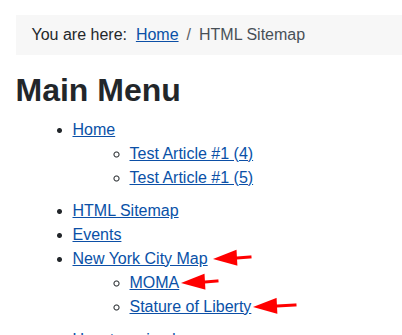
- Click the HTML link to open the HTML sitemap.
- Find the Shack Locations map menu item. Its eligible locations should be listed underneath it.
- Return to the OSMap screen and click the XML link.
- Check that the location URLs also appear in the XML sitemap.
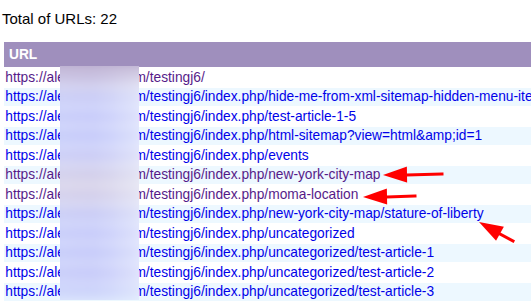
If the locations appear in both sitemap formats, the integration is working.
What If the Locations Do Not Appear?
If your locations are missing from the sitemap, check the following:
- The OSMap - Shack Locations plugin is enabled.
- The Shack Locations map has a published Joomla menu item.
- The menu containing the map item is included in your OSMap sitemap.
- The map and its locations are published.
- The location types and legends used by the locations are published.
- The locations use a supported link type, such as Current Page or URL.
- The map menu item has not been hidden manually from the sitemap in OSMap.
Your OSMap Pro and Shack Locations components are now integrated.
Documentation for Joomla 3
OSMap Pro integrates with Shack Locations so you can easily allow Google to index all your map locations.
OSMap Pro provides a plugin named "OSMap Shack Locations Plugin". You will need to enable the plugin for the OSMap Pro integration with Shack Locations to work.
Here is how you can do this.
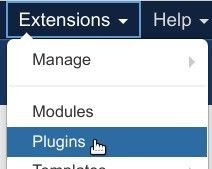
- In your Joomla administrator panel, go to "Extensions" > "Plugins":
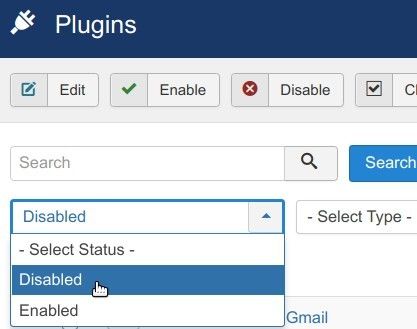
- You will be taken to the "Plugins" screen, as shown in the next image. Use the "Search" box or the filters to find "OSMap - Shack Locations Plugin". For this tutorial, I used the "Status" filter and set it to "Disabled":
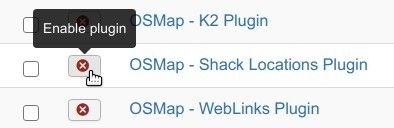
- Find the plugin and click on the icon with the red cross next to its title to enable it:
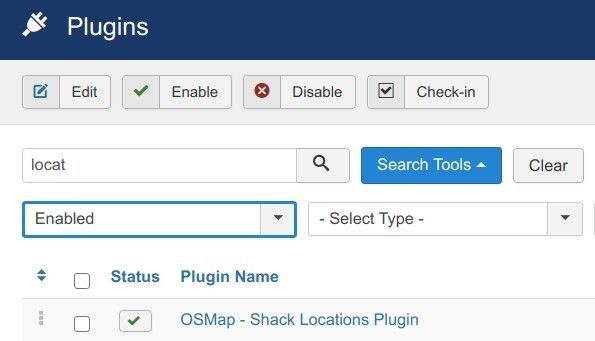
- You will see the "OSMap - Shack Locations Plugin" enabled:
Good job! Your OS Map Pro and Shack Locations components are integrated now.