
Documentation for Joomla 6
When opening an OSMap XML or Images sitemap, you may occasionally see an error similar to this:
Call to undefined method Joomla\CMS\Document\XmlDocument::addCustomTag()
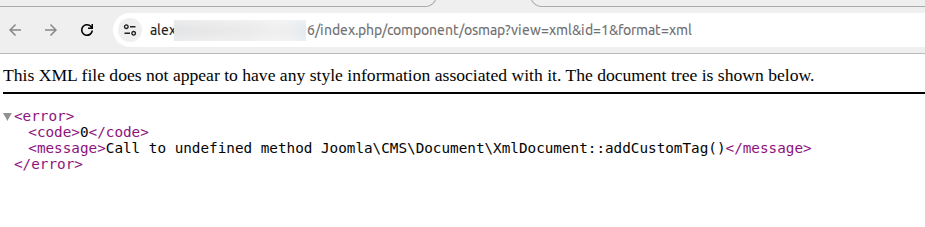
What Causes This Error?
This error is usually caused by a third-party Joomla plugin rather than OSMap itself.
When OSMap generates an XML sitemap, Joomla uses an XML document. Some third-party plugins run on every page request and incorrectly assume that Joomla is always generating an HTML page.
If one of those plugins tries to use the addCustomTag() method
while Joomla is generating the XML sitemap, Joomla will display this error.
System plugins are a common source of this problem because they can run throughout the site.
How to Find the Conflicting Plugin
You can temporarily disable your third-party system plugins one at a time to identify the plugin causing the error.
- In your Joomla administrator area, go to System.
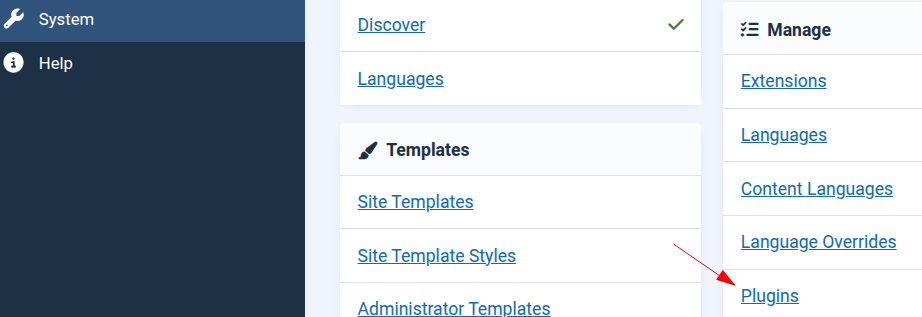
- Under Manage, click Plugins.
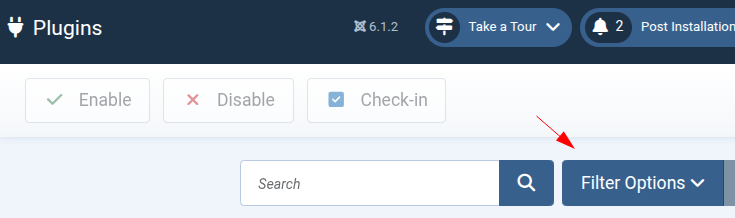
- On the Plugins screen, open the Filter Options.
- Set the Type filter to system.
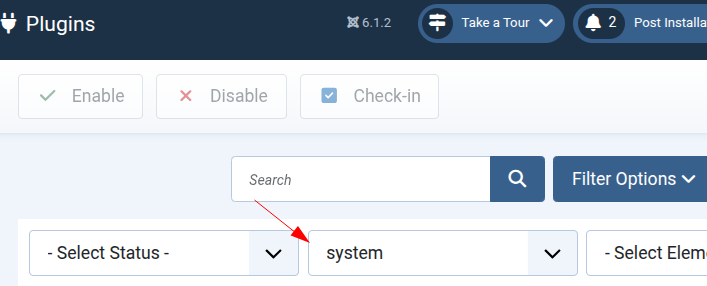
You will now see the system plugins installed on your Joomla site.
- Temporarily disable one of your third-party system plugins.
- Reload the OSMap XML or Images sitemap.
- If the error is still displayed, re-enable that plugin and test the next third-party system plugin.
- Continue until the sitemap loads normally.
What to Do After You Find the Plugin
Once you identify the plugin causing the error, re-enable any other plugins that you disabled during testing.
Check whether an updated version of the conflicting plugin is available. If the problem continues with the latest version, contact the developer of that extension and let them know that their plugin is calling an HTML document method while Joomla is generating an XML document.
We do not recommend leaving Joomla core plugins disabled as a permanent solution.
Documentation for Joomla 3
In some Joomla sites, you may see the "Call to undefined method Joomla\CMS\Document\XmlDocument::addCustomTag()" error. You may see it trying to view either your site XML or Images sitemaps.
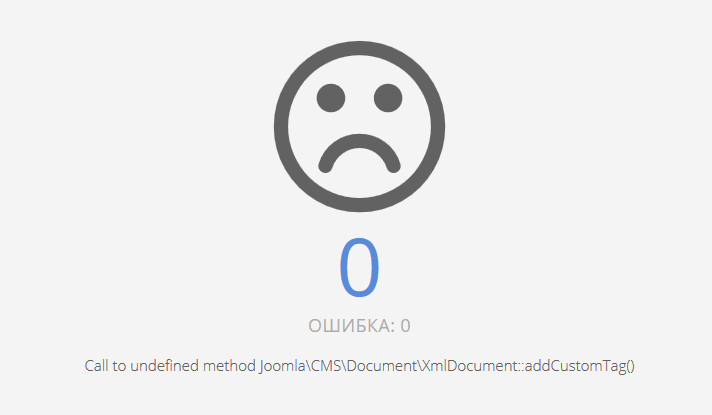
The most likely reason for this error may be one of the 3-rd party system plugins you installed.
Here is how to find which one of them is the source of the error.
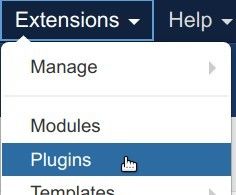
- In your Joomla administrator panel, go to "Extensions" > "Plugins":
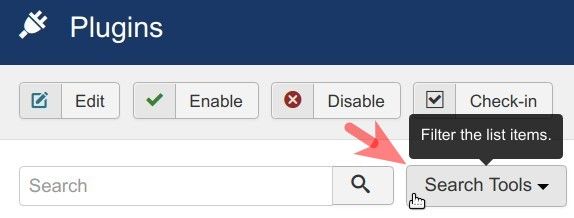
- This will bring you to the "Plugins" screen. Click the "Search Tools" button:
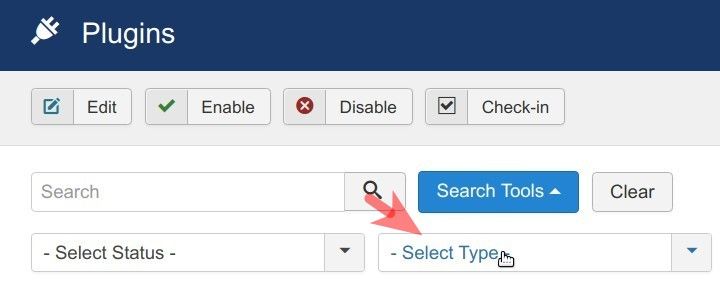
- You will see the four filters appear. Click inside the "Select Type" filter:
- You will see a dropdown list of the types of plugins. Click "system":
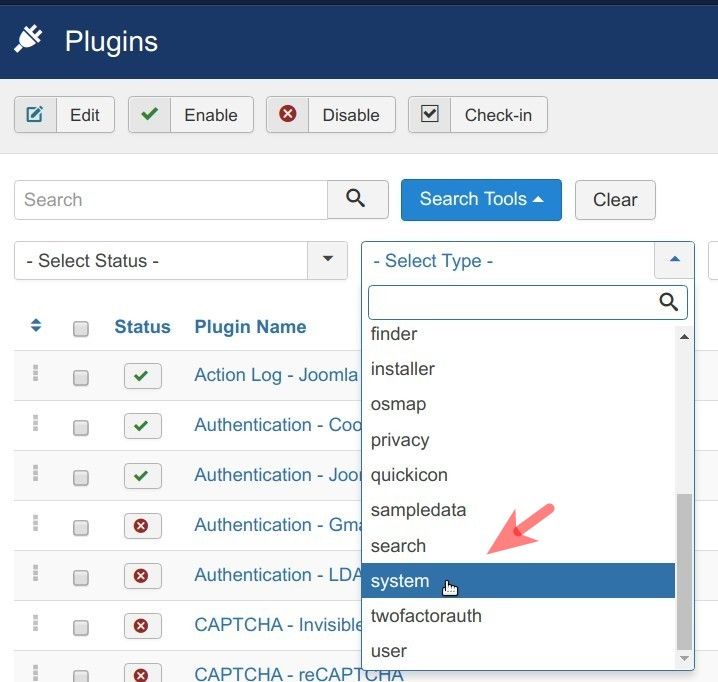
- Disable filtered system plugins one by one by clicking on the box next to the name of the plugin and check if the error disappeared:
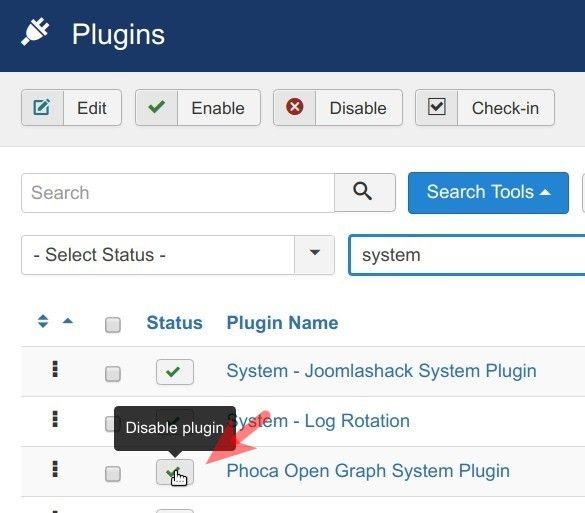
- Keep disabling your 3-rd party system plugins until you find the one that causes the "Call to undefined method ..." error.