
If your VirtueMart product links are not SEO-friendly in your OSMap sitemap, follow the steps below to fix it.
Step 1: Enable SEO in VirtueMart
Open your VirtueMart configuration and make sure SEO is enabled.
- Go to VirtueMart → Configuration → SEO tab.
- Set SEO Disabled to No.
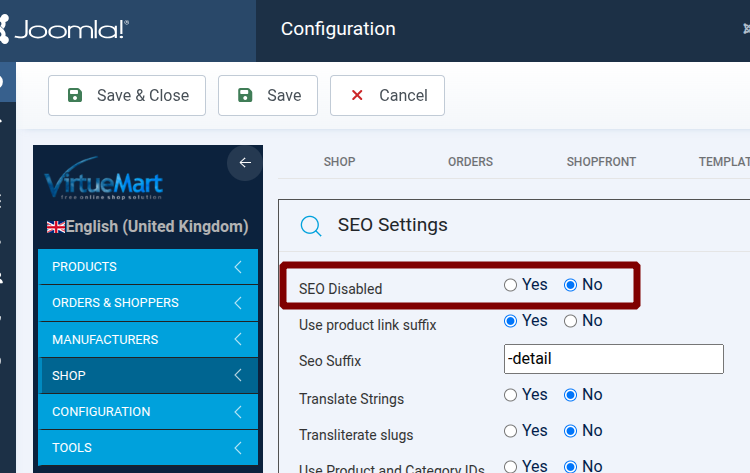
This allows VirtueMart to generate SEO-friendly product URLs.
Step 2: Enable the OSMap VirtueMart Plugin
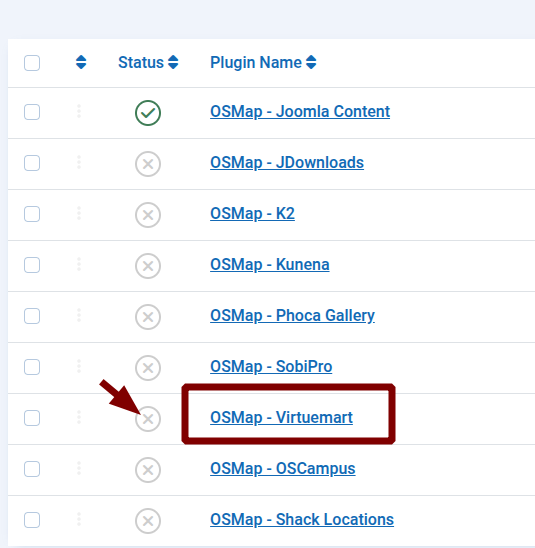
Make sure the OSMap plugin for VirtueMart is enabled so that SEO-friendly product links are correctly included in your sitemap.
- Go to System → Plugins.
- Search for OSMap - VirtueMart.
- Make sure the plugin is Enabled.
Result
Once both steps are completed, VirtueMart will generate SEO-friendly URLs for your products, and OSMap will automatically include those URLs in your sitemap.
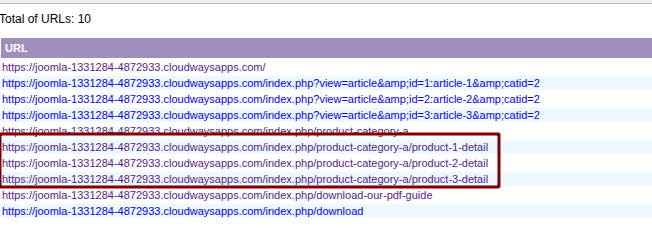
No additional configuration is required in OSMap.
Tip
If your URLs are still not SEO-friendly, also check your Joomla SEO settings:
- Go to System → Global Configuration → Site.
- Set Search Engine Friendly URLs to Yes.
- Set Use URL Rewriting to Yes.