
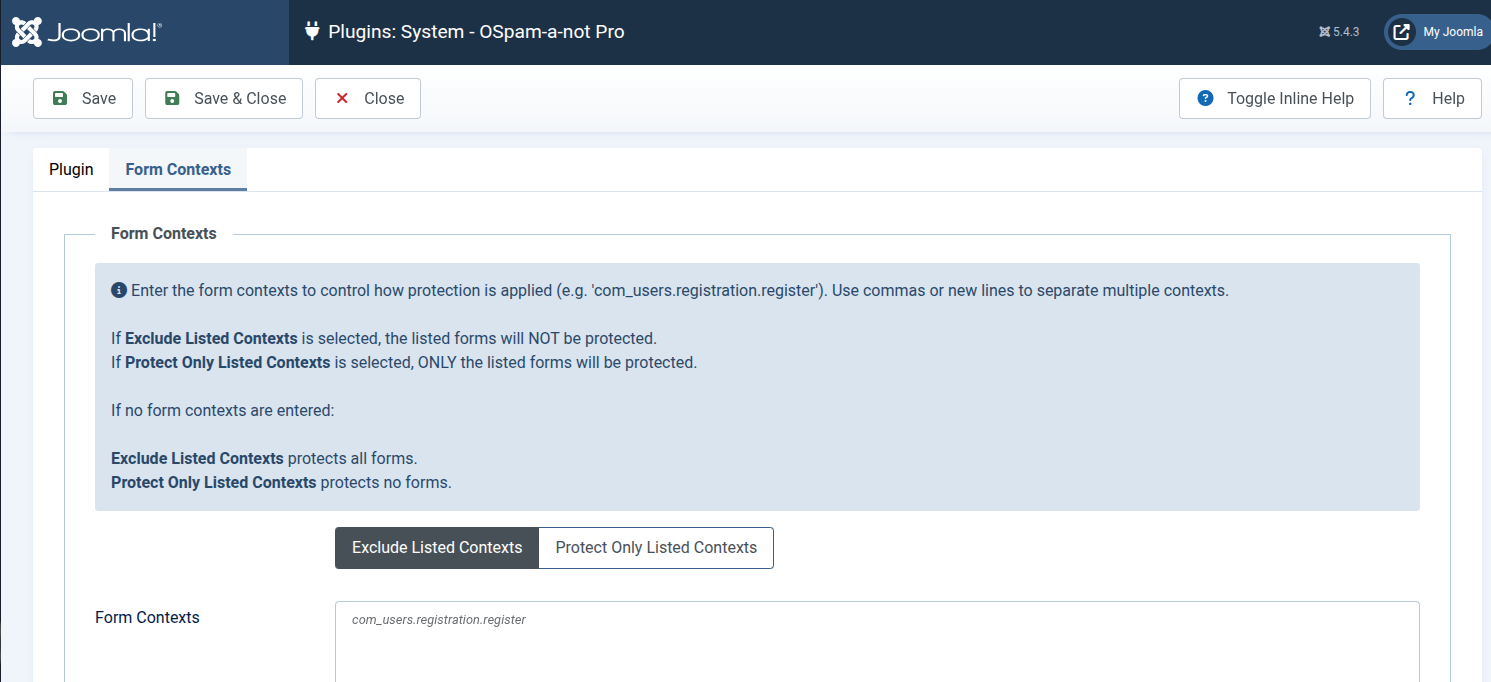
The Form Contexts feature is available in the Pro version. It lets you control exactly which Joomla forms OSpam-a-not Pro protects. Instead of protecting every form on your site, you can target specific forms or exclude certain forms from protection.
What are Form Contexts?
A form context is a unique identifier that Joomla assigns to a form.
It usually follows this pattern:
component.view.task
Example:
com_users.registration.register
This context identifies the Joomla user registration form.
OSpam-a-not Pro reads the context when a form is submitted. The plugin then decides whether to apply spam protection based on your settings.
Why use Form Contexts?
Use Form Contexts when you want more control over protection.
Common situations include:
- Protecting only specific forms, such as registration forms.
- Excluding trusted forms used by administrators or internal users.
- Avoiding conflicts with third-party extensions that already include spam protection.
How to configure Form Contexts
- Go to System → Plugins in Joomla.
- Open System – OSpam-a-not Pro.
- Click the Form Contexts tab.
- Enter one or more form contexts in the Form Contexts field.
- Separate multiple contexts with commas or new lines.
- Choose one of these options:
- Exclude Listed Contexts — The listed forms will not be protected. All other forms will be protected.
- Protect Only Listed Contexts — Only the listed forms will be protected.
Important tips
- If no contexts are entered:
- Exclude Listed Contexts — all forms are protected.
- Protect Only Listed Contexts — no forms are protected.
- Enable plugin logging if you want to discover the context of blocked forms.