Documentation for Joomla 6
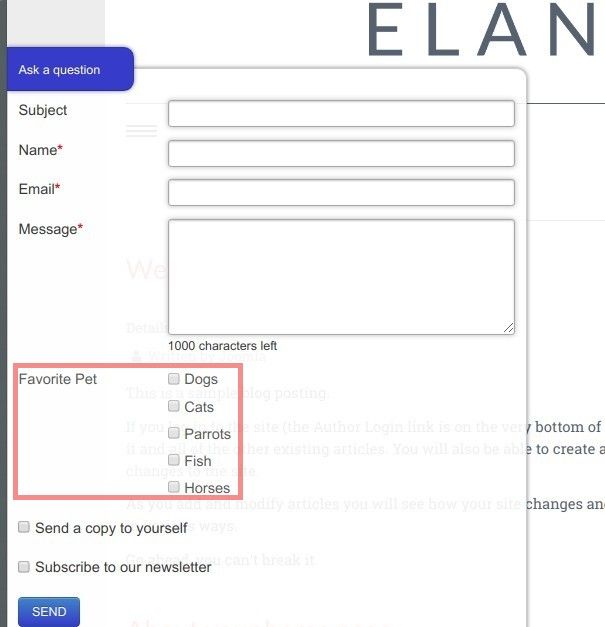
In some cases, you may want to create a group of checkboxes for the people submitting your Shack Forms Pro form. For example, you might want your form to ask them what their favorite pet is.
You can create a field called “Favorite Pet” and give users the following choices:
- Dogs
- Cats
- Parrots
- Fish
- Horses
You want the form submitter to be able to select one or more pets.
Creating such a field is a simple two-step process:
- Create a new field using the Checkboxes group field type.
- Separate the list items with the pipe (
|) symbol.
Let’s take a closer look at this process. For this demonstration, we’ll create the field called “Favorite Pet,” as described above.
Step #1. Choose the Checkboxes group field type
- In your Joomla dashboard, go to Components → Shack Forms Pro → Modules.
- You’ll be taken to the Shack Forms Pro: Modules admin area. Locate the required Shack Forms Pro module and click its title.
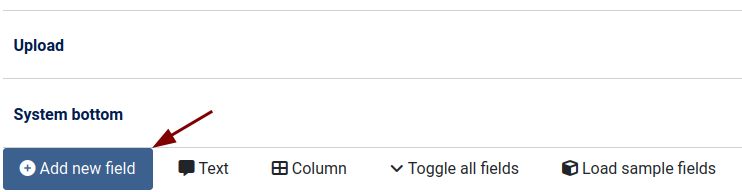
- You’ll see the Modules: [Your Shack Forms module name] page. On the Module tab, click the blue Add new field button:
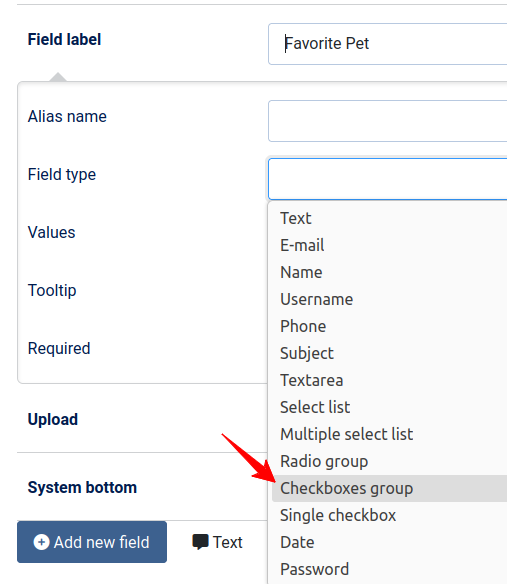
- Enter “Favorite Pet” in the Field label field.
- Click inside the Field type field.
- From the dropdown list, select Checkboxes group:
Great! You’re now ready to add checkboxes to this field.
Step #2. Separate the checkbox names with the pipe (|) symbol
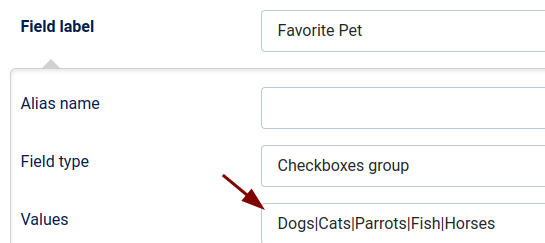
- Find the Values field.
- Enter your list items, separating each with the pipe (
|) symbol. For example:Dogs|Cats|Parrots|Fish|Horses
- Click Save or Save & Close.
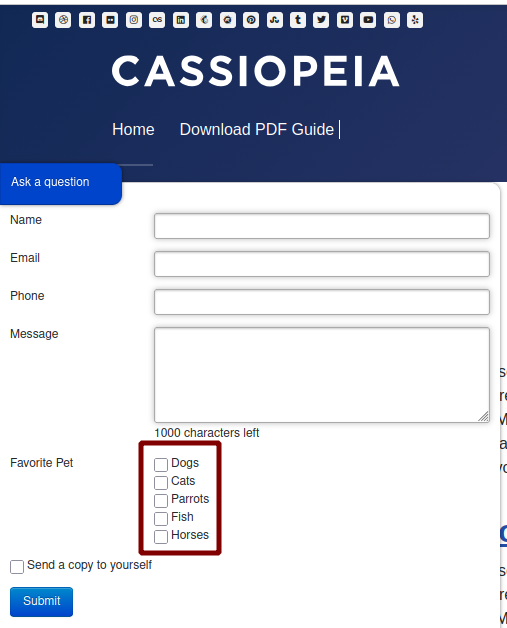
- Check your form on the frontend of your site. You’ll see that users can now select one or more favorite pets:
Documentation for Joomla 3
In some use cases, you may want to create a group of several checkboxes for your Shack Form submitters. For example, you may want your form to ask them what their favorite pet is.
You would like to create for them a field "Favorite Pet". And you would like this field to give them the following choices of pets:
- Dogs
- Cats
- Parrots
- Fish
- Horses
You would like the form submitter to be able to select one or more pets".
Creating such a field is a two-step process:
- Create a new field of the "Checkboxes group" field type.
- Separate the list items with the pipe (|) symbol.
Let's take a look at this process in more detail. For demonstration purposes, you will create the field called "Favorite Pet", as I described it a second ago.
Step #1. Choose the "Checkboxes group" field
- In your Joomla administrator panel, go to Extensions > Modules.
- You will be taken to the "Modules (Site)" administrative page. Locate the Shack Forms module here and click on its title.
- You will see the "Modules: [Your Shack Forms module name]" page. Under the "Module" tab, click the blue "Add new field" button:

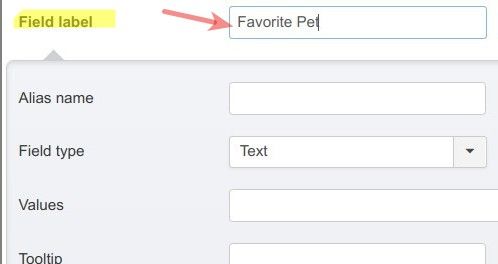
- Enter "Favorite Pet" into the "Field label" field:
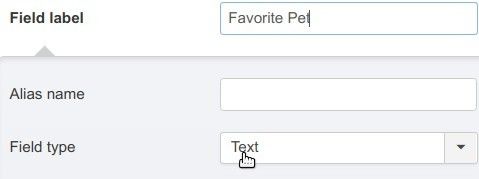
- Find the "Field type" field and click "Text":
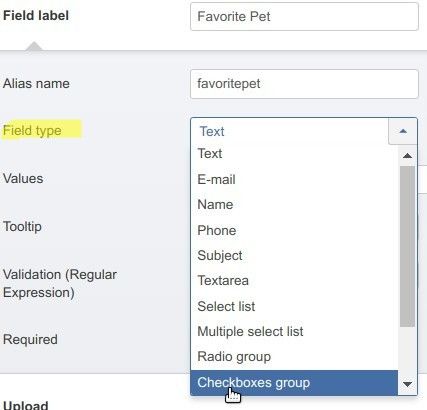
- In the drop-down list of Shack Forms field types, click "Checkboxes group":
Step #2. Separate the names of the checkboxes with the pipe (|) symbol
- Find the "Values" field and enter in it your list items, separated by the pipe (|) symbol. For my demonstration, I entered "Dogs|Cats|Parrots|Fish|Horses":
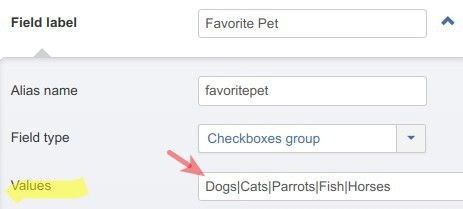
- Click "Save" or "Save & Close".
- Check the form at the frontend of your site. You will see that your form submitter can now select one or more favorite pets: