
Shack Locations markers have a twofold purpose:
- It pinpoints a certain location on your map directory.
- It indicates the location type.
Your location type may be a cafe, or a swimming pool, or a park. Shack Locations installs a gallery of 32 iconpins in 6 colors to help you define your location types.
Note: It may be the case that you won't find a marker matching your location type in the gallery. For such occasions, the gallery has a blank blank.png marker image you can edit.
Where to find Shack Locations Markers
Once you installed Shack Locations, it conveniently installs the gallery of markers within your Joomla Media manager.
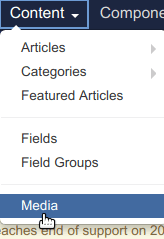
- In your Joomla control panel, go to Content > Media:
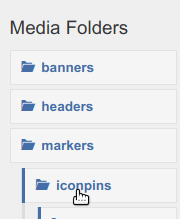
- Under the markers, click iconpins:
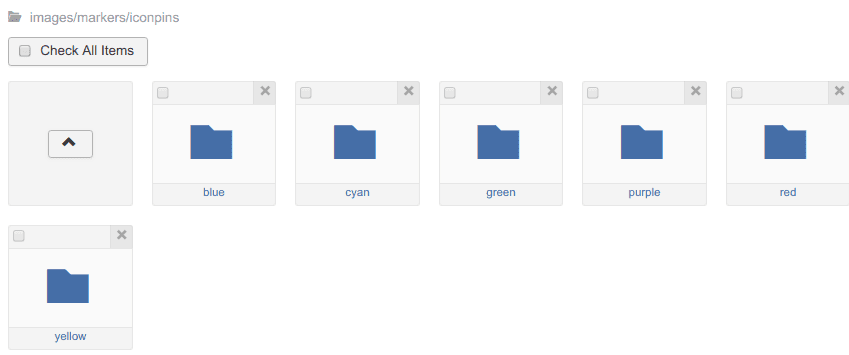
You will see the six sub-folders named by the color of the iconpins they store:
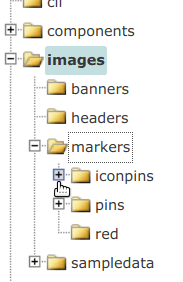
- If you need to FTP to the iconpins gallery, go to /images/markers/iconpins/:
Gallery of Shack Locations Markers

1. Accommodation.
2. Airport.
3. Animals.
4. Attraction.
5. Bank.

6. Bar.
7. Basketball.
8. Burgers.
9. Camping.
10. Childcare.

11. Cities.
12. Coffee.
13. Cycling.
Warning: please, don't assign any of the three "cluster-....png" iconpins to your location types. Shack Locations will use them automatically to mark clusters of closely located locations.

14. Hiking.
15. Information.
16. Library.
17. Medical.
18. Movies.
19. Parking.

20. Pizza.
21. Restaurant.
22. Services.
23. Shopping.
24. Sporting.
25. Swimming.
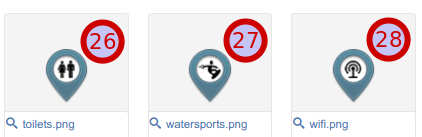
26. Toilets.
27. Watersports.
28. Wifi.