
Do you work with clumsy people?
Are you sometimes clumsy?
If you answered "Yes" to either question, then there is a Joomla feature that's perfect for you.
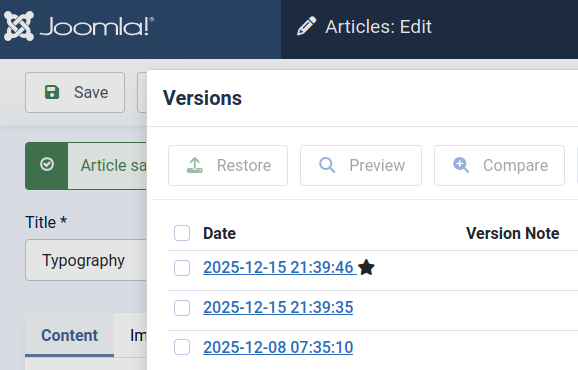
Versions is a security feature for your content. Versions let you keep a copy of your Joomla articles whenever you save a change.
The Versions button appears in the toolbar at the top of your articles screen. Notice the "Versions" button on the right.

Every time you save your article, a new version will be accessible via this pop-up window. A gold star marks the current version of the article.
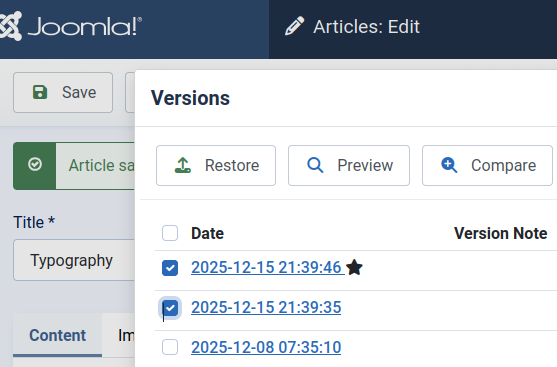
To compare the current version with a previous version, check the boxes following to the versions and click Compare.
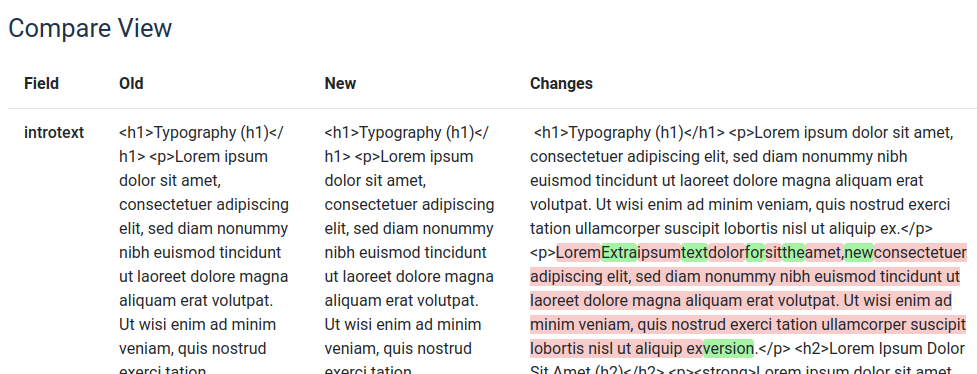
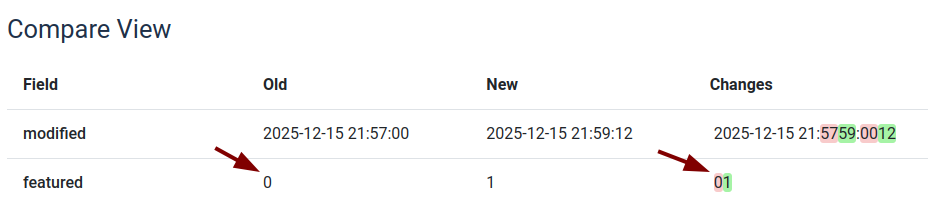
Text that has been removed is marked in red, and text that has been added will be marked in green.
Joomla doesn't just store all of your content, but also the settings for your articles. In this example, you can see that the version on the right has been changed so that "Featured" is set to "Yes".
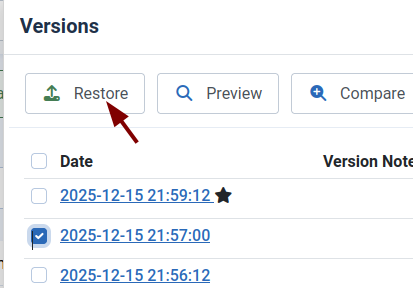
To roll back to a previous version, check the box next to the version and click "Restore":
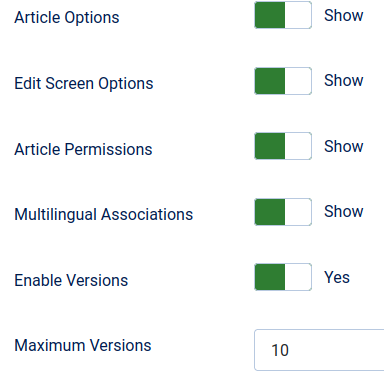
Configuration options for Versions
There are two configuration options for Joomla versions.
- "Enable Verlsions" allows you to turn Versioning on and off.
- "Maximum Versions" allows you to limit the number of versions that are stored.
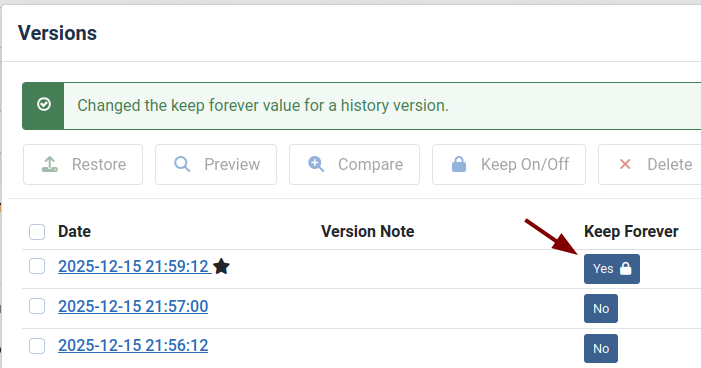
Even if the "Maximum Versions" is set to 10, it is possible to mark a version so that it can not be deleted:
The versions are stored in a database table called _ucm_history. UCM stands for Unified Content Model. The goal of Joomla's developers is to allow any extension to use this version's features.
What's Next?
Save $1,000's when you sign up for Joomlashack's Everything Club.
You will get your hands on our extensive range of over 20 extensions, plus legendary support!