
One of our customers recently contacted us with what looked like two unrelated problems:
- Every Joomlashack extension displayed the message "Joomlashack Framework not found".
- Installing OSMap Free resulted in nothing more than a 406 Not Acceptable error.
At first glance, it looked like a Joomlashack Framework issue. By the end of the investigation, however, we discovered that neither Joomlashack nor Joomla was responsible.
Here's how we tracked the problem down.
The first symptom
The customer's Joomla 6.1.1 admn dashboard displayed the following warning:
[Joomlashack Extension Support] Joomlashack Framework not found
Curiously, the Joomlashack Framework itself appeared to be installed and enabled in System → Manage → Extensions:
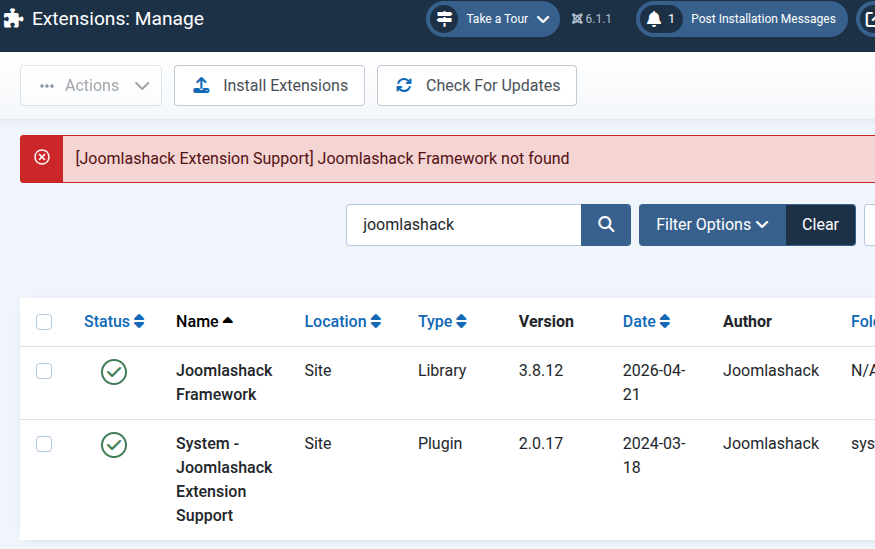
That immediately raised a question: "If Joomla can see the framework, why can't our plugin load it?"
Possible explanations included:
- an incomplete framework installation
- missing library files
- a version mismatch
- a Joomla 6 compatibility issue
At this point, there wasn't enough evidence to draw a conclusion.
The second symptom
To rule out a framework problem, we tried installing the latest version of OSMap Free.
Instead of the usual Joomla installer messages, we were greeted with a simple:
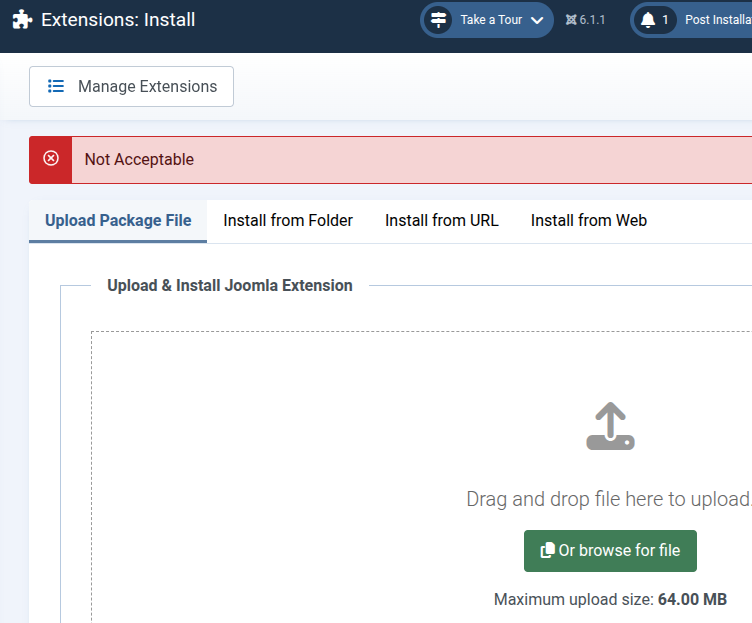
No Joomla error. No PHP error. No stack trace.
That changed the direction of the investigation completely.
Opening the browser's Network tools
Whenever an upload or AJAX request behaves unexpectedly, the browser's Developer Tools are invaluable.
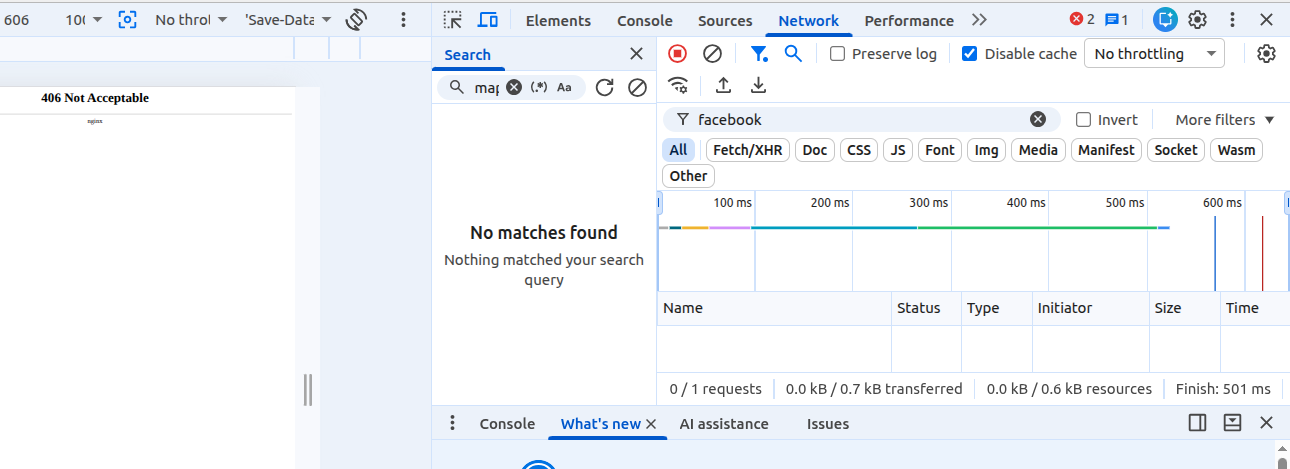
We opened Chrome's Network tab and attempted the installation again.
Sure enough, one request stood out:
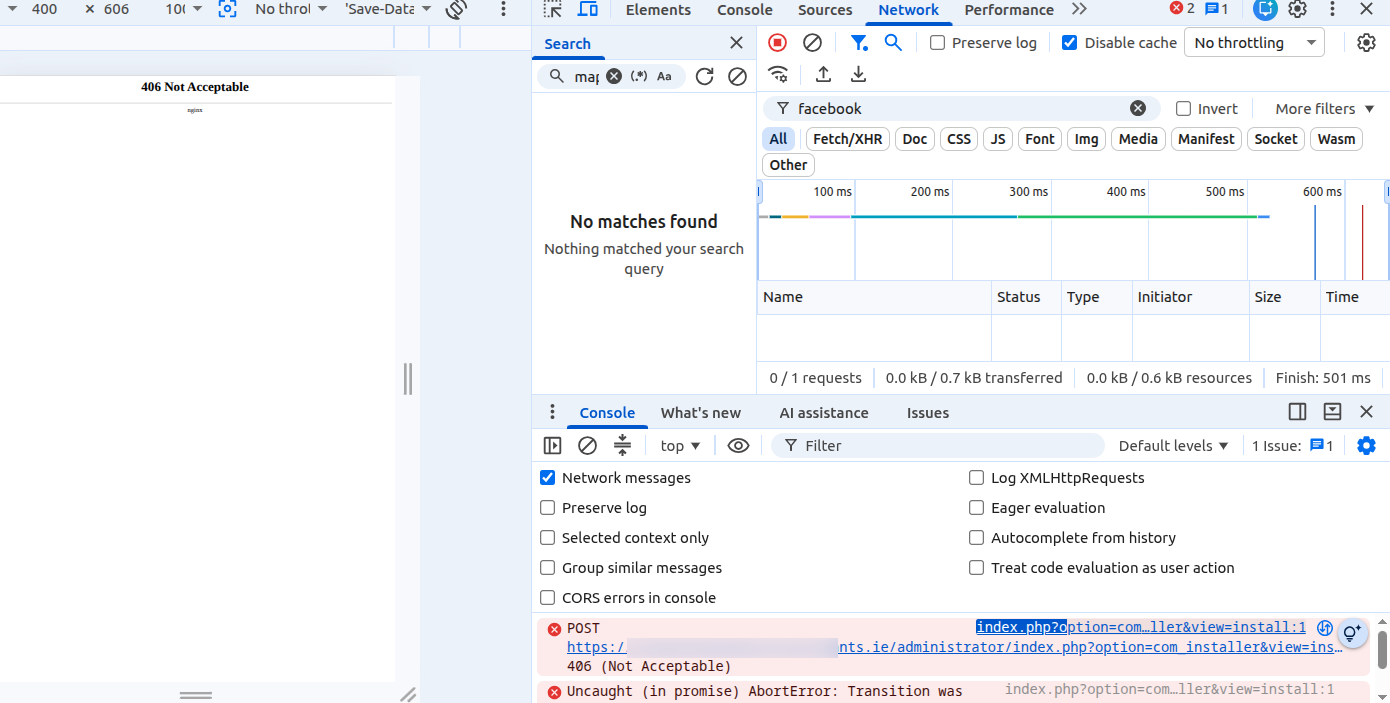
POST
administrator/index.php?option=com_installer&view=install

Status:
406 Not Acceptable
So the installer request itself was failing. The next step was to inspect the request. The important part was the Response tab:
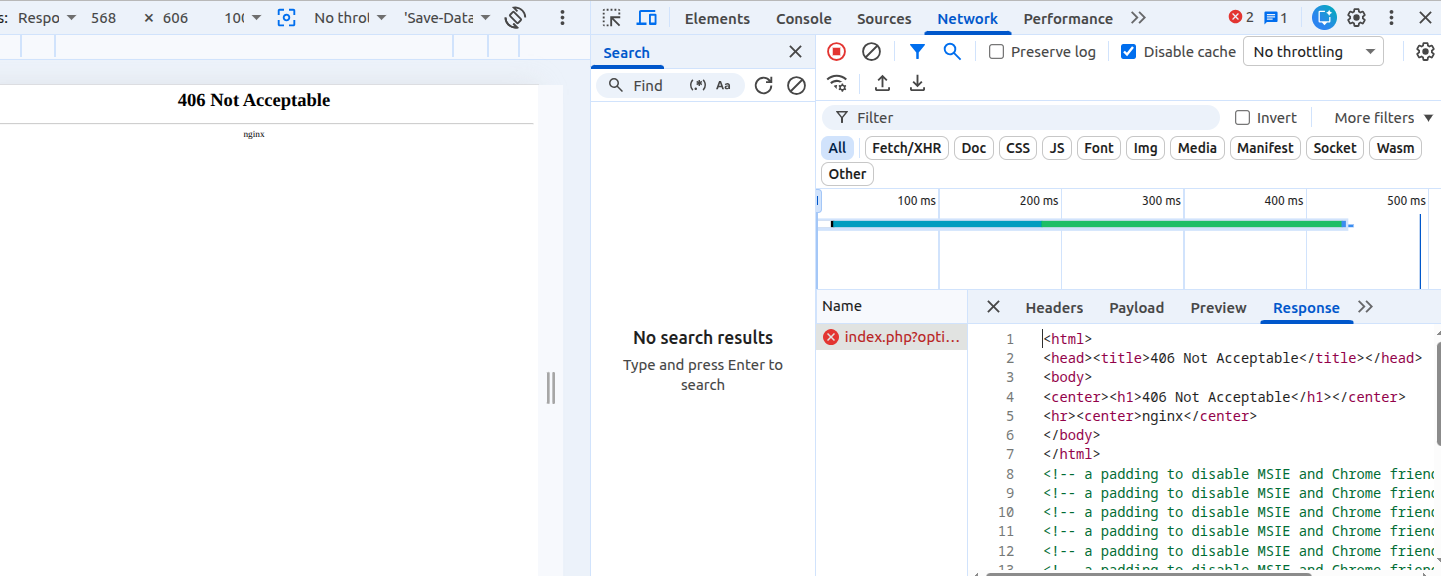
The real clue came from the response body. The Response tab contained only this:
<html>
<head><title>406 Not Acceptable</title></head>
<body>
<center><h1>406 Not Acceptable</h1></center>
<hr><center>nginx</center>
</body>
</html>
That tiny HTML page told us almost everything we needed to know.
Notice what wasn't in the response:
- no Joomla HTML
- no Joomla exception
- no PHP warning
- no Joomlashack error message
- no OSMap installer output
Instead, the web server itself generated the response. That means the request never reached Joomla's installer. The server rejected it first.
Narrowing down the cause
Once we knew nginx was returning the response directly, the list of possible causes became much shorter.
Typical candidates include:
- ModSecurity
- Imunify360
- NAXSI
- custom nginx security rules
- another Web Application Firewall (WAF)
All of these can reject file uploads before PHP or Joomla ever sees the request.
Why the framework warning made sense
The "Joomlashack Framework not found" message now had a much more plausible explanation.
If the server had been blocking extension installations, a previous framework installation or update may never have completed successfully.
That could leave Joomla in an unusual state where:
- the extension is registered in the database, and listed on the Extensions
- but some framework files are missing from disk.
From Joomla's perspective, the extension exists. From our plugin's perspective, the framework cannot actually be loaded.
In other words, the framework warning was probably a symptom, not the root cause.
Lessons learned
When Joomla reports a generic HTTP error such as 406 Not Acceptable, it's worth determining who actually generated the response.
If the response comes from Joomla, you'll usually see:
- a Joomla error page,
- a PHP exception,
- or a detailed stack trace.
If the response is generated by the web server itself, as in this case, the investigation should shift away from Joomla and toward the hosting environment.
Browser Developer Tools make this surprisingly easy.
A quick look at the Network tab, the Headers, and especially the Response body can tell you whether you're dealing with:
- Joomla
- PHP
- Apache
- nginx
- or a security layer such as ModSecurity.
Conclusion
By following the evidence step by step, we ruled out Joomla and Joomlashack as the cause of the problem.
The key clue was the plain nginx-generated 406 Not Acceptable response. It showed that the server rejected the request before Joomla's installer could process it.
That shifted our attention from Joomla to the hosting environment.
The customer's next step is to contact their hosting provider. They should ask them to investigate why the Joomla Extension Installer endpoint is returning HTTP 406. In many cases, the cause is a security rule in nginx, ModSecurity, or another web application firewall. Once the rule is identified, it can usually be adjusted or whitelisted.
This investigation is a good reminder that not every Joomla error originates in Joomla. A quick look at the browser's Developer Tools can reveal exactly where a request fails. Sometimes, a simple 406 Not Acceptable message is all it takes to point you in the right direction.
What's Next?
Save $1,000's when you sign up for Joomlashack's Everything Club.
You will get your hands on our extensive range of over 20 extensions, plus legendary support!