
Documentation for Joomla 6
We created OSMeta because we couldn't find a metadata extension that was simple and usable enough for our needs.
OSMeta is ridiculously simple. Don't expect complicated features. Just expect it to be reliable and easy to use.
#1. Download and Install
- Download OSMeta from this page.
- Install it.
#2. Using OSMeta via the Components Screen
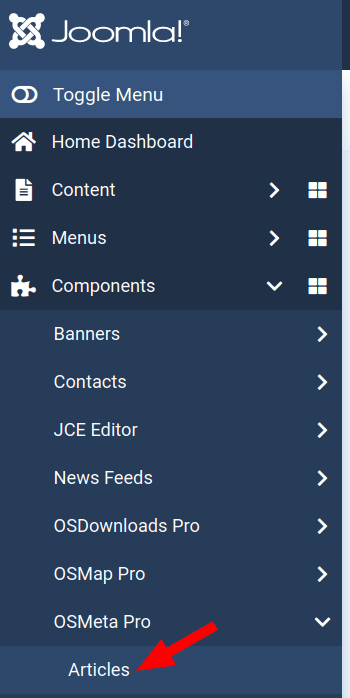
- In your Joomla 6 administrator dashboard, go to Components > OSMeta Pro > Articles:
- You will see the "OSMeta Meta Tags Manager" screen, as shown in the next image:
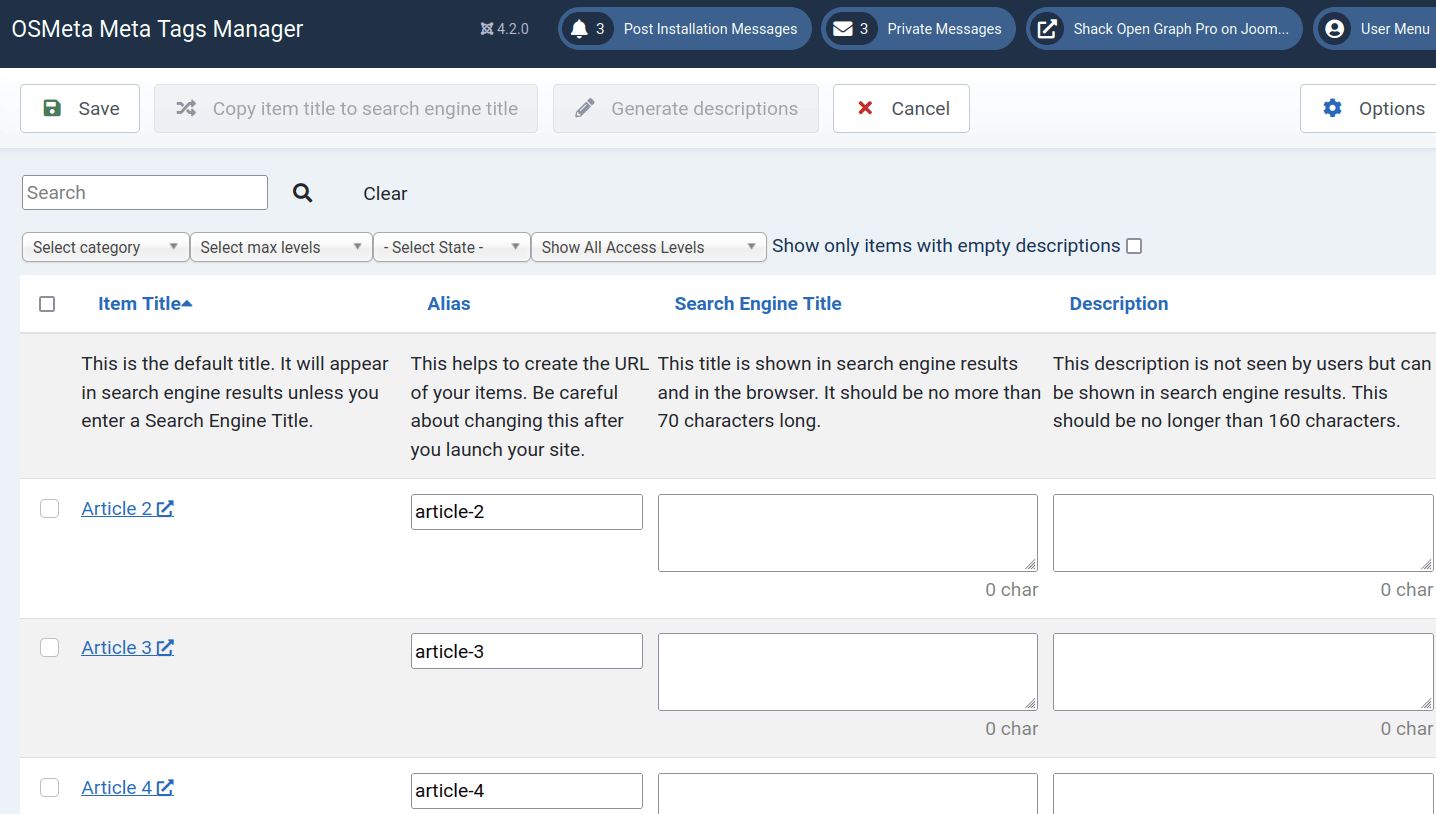
Use this screen to manage the following metadata of your Joomla 6 content:
- Alias:This helps to create the URL of your content items. Be careful about changing this after you launch your site.
- Title: This title is shown in search engine results and in the browser. It should be no more than 70 characters long.
- Description: This description is not visible to users but can be displayed in search engine search results. This should be no longer than 160 characters.
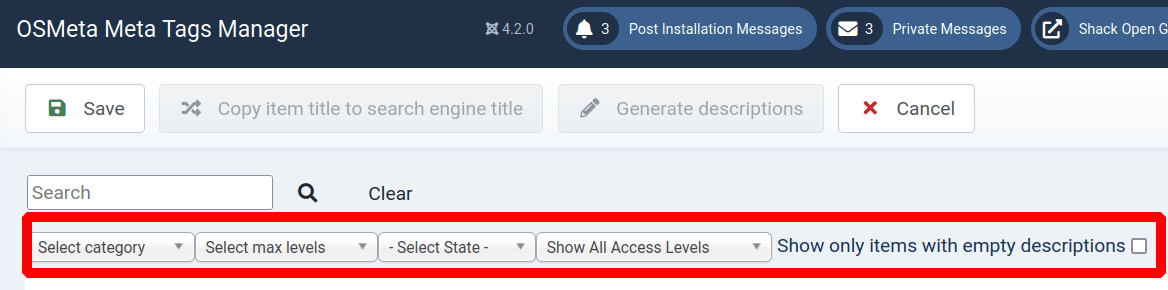
There are filters at the top of this screen. They allow you to drill down quickly to find a particular article on a large site:
#3. Using OSMeta Creating a New Article
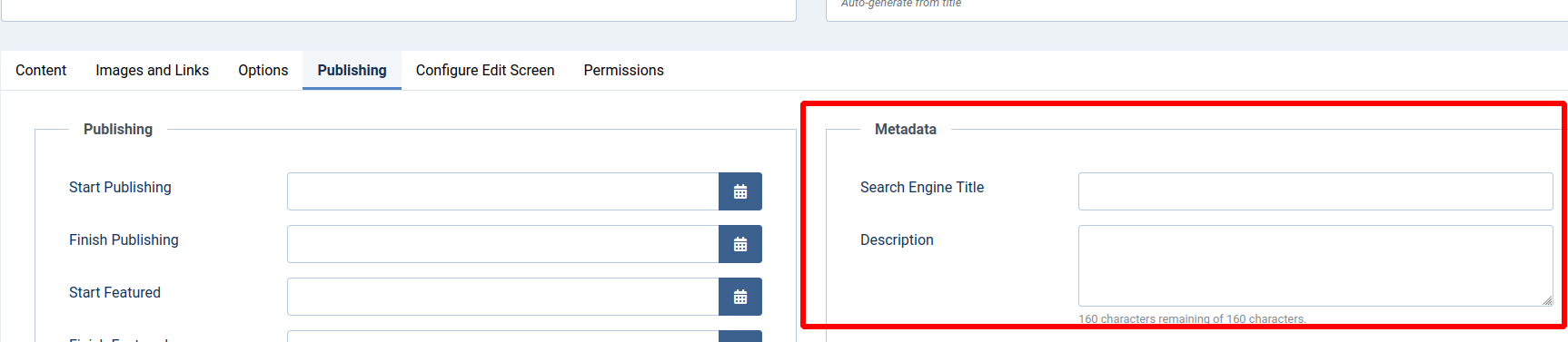
You can also use OSMeta when writing content. If you're editing an article, click the "Publishing" tab, and you'll see the metadata options:
Does OSMeta Generate Schema.org or JSON-LD Structured Data?
No. OSMeta does not generate Schema.org structured data or JSON-LD output.
You can use OSMeta to manage your SEO metadata, including page titles and meta descriptions, while using another Joomla extension to generate structured data.
For example, if you use a dedicated structured data extension, you do not need to disable any Schema.org or JSON-LD functionality in OSMeta. You can use the two extensions alongside each other.
What If I See Duplicate Structured Data?
If you see duplicate JSON-LD structured data on your pages, OSMeta is not generating the duplicate output.
Check whether structured data is being generated by:
- Joomla's built-in Schema.org plugins.
- Your Joomla template.
- Another SEO or structured data extension.
We recommend using only one system to generate each type of structured data whenever possible. This makes your structured data easier to manage and helps prevent duplicate Schema.org markup.
Documentation for Joomla 3
We created OSMeta because we couldn't find a metadata extension that was simple and usable enough for our needs.
OSMeta is ridiculously simple. Don't expect complicated features. Just expect it to be reliable and easy-to-use.
#1. Download and Install
You can download OSMeta from this page.
#2. Using OSMeta via the Component Screen
You can go to Components > OSMeta and see an overview of all the content metadata on your site:
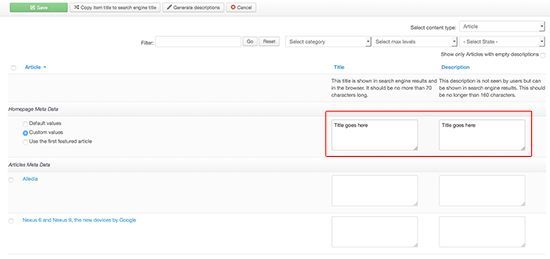
Underneath, you'll find the ability to add the metadata for every article on your site. This main screen allows you to add 3 types of metadata:
- Title: This title is shown in search engine results and in the browser. It should be no more than 70 characters long.
- Description: This description is not seen by users but can be shown in search engine results. This should be no longer than 160 characters.
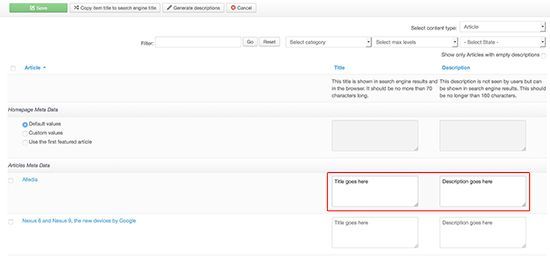
There are filters at the top of this screen that allow you to drill down quickly to find a particular article on a large site:

#3. Using OSMeta via the Components Screen
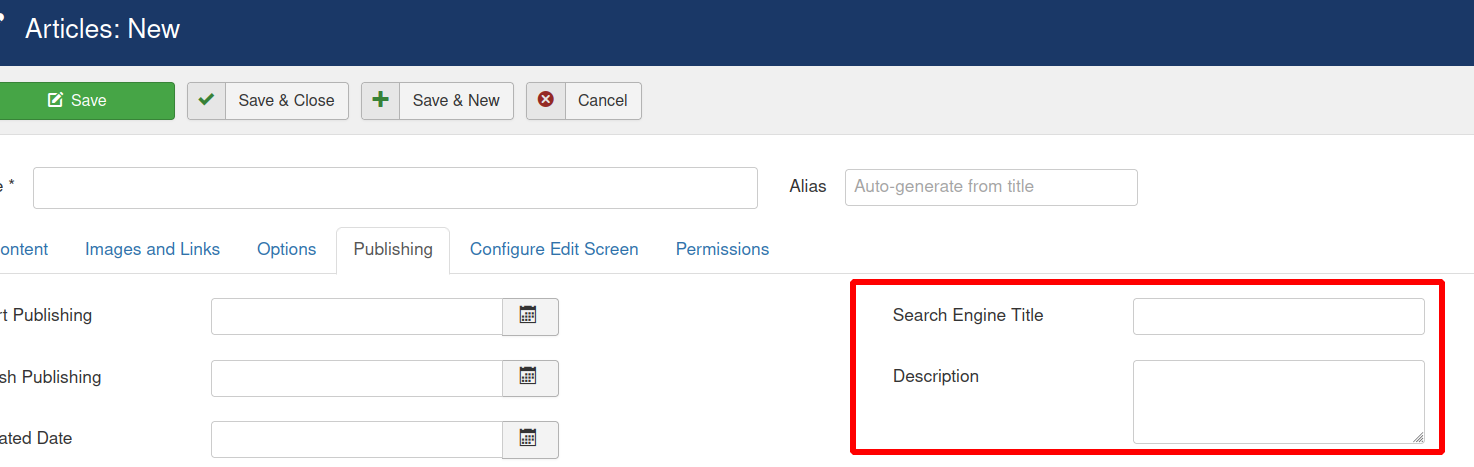
You can also use OSMeta when writing content. If you're editing an article, click the "Publishing" tab, and you'll see the metadata options.
Does OSMeta Generate Schema.org or JSON-LD Structured Data?
No. OSMeta does not generate Schema.org structured data or JSON-LD output.
You can use OSMeta to manage your SEO metadata, including page titles and meta descriptions, while using another Joomla extension to generate structured data.
For example, if you use a dedicated structured data extension, you do not need to disable any Schema.org or JSON-LD functionality in OSMeta. The two extensions can be used alongside each other.
What If I See Duplicate Structured Data?
If you see duplicate JSON-LD structured data on your pages, OSMeta is not generating the duplicate output.
Check whether structured data is being generated by:
- Joomla's built-in Schema.org plugins.
- Your Joomla template.
- Another SEO or structured data extension.
We recommend using only one system to generate each type of structured data whenever possible. This makes your structured data easier to manage and helps prevent duplicate Schema.org markup.